

I Tested 7 AI Social Media Content Generators for Small Business (2026)
TL;DR: An AI social media content generator for small business should do two jobs — make the post (visual + caption + hashtags) and publish it on schedule. After comparing seven tools on verified October 2026 pricing: Predis.ai ($19/mo) builds whole posts from one line and is the best all-rounder; Canva Pro ($144/yr) is the cheapest capable option if you design more than you schedule; Buffer’s free plan is the $0 starting point. Table, real product images, and honest verdicts below.
Here’s the number that stopped me mid-scroll this week: on Meta’s Q3 2026 earnings call, the company said nearly 10 million advertisers used at least one of its generative AI creative tools last quarter, with AI video-generation use up 25% in three months (Meta Q3 2026 earnings transcript). Two weeks earlier, Meta made Advantage+ video generation — static product photo in, finished video ad out — generally available (PYMNTS; Relevant Audience). AI social content just went mainstream. The question isn’t whether to use these tools — it’s which one deserves your money.
In this guide you’ll find: seven AI social media content generators compared — Predis.ai, Canva, Buffer, SocialBee, Vista Social, Ocoya, Lately — with verified October 2026 pricing, what the free tiers really give you, which ones generate actual visuals versus captions only, my verdict on each, picks by business type, and how to not sound like every other AI-written feed. Let’s go.
How we tested (and what we couldn’t)
Straight up: I opened every tool’s official site, product pages, and pricing pages on October 22, 2026, and read them like a buyer with a card in hand — plan tiers, trial terms, auto-charge traps, and the spots where vendors contradict themselves. What I didn’t do: run paid trials that demand a credit card and auto-charge on day three (Predis.ai and Ocoya both do this). Where a claim comes from a vendor page instead of my own hands, I say so. Prices are what the official pages showed in October 2026.
The 7 tools, compared at a glance
| Tool | Starts at | Free plan? | Generates visuals? | Schedules? | Best for |
|---|---|---|---|---|---|
| Predis.ai | $19/mo | No (3-day card trial) | Yes | Yes (Rise+) | All-in-one creation |
| Canva | $0 / $144/yr Pro | Yes (20 AI uses/mo) | Yes — best design AI | Basic (Pro) | Design-first businesses |
| Buffer | $0 / $5/channel/mo | Yes (3 channels) | No — captions only | Yes — excellent | Free start, simple scheduling |
| SocialBee | $29/mo | No (14-day no-card trial) | Yes — AI images | Yes — evergreen recycling | Autopilot content |
| Vista Social | $79/mo | No | Yes | Yes + review replies | Review-driven businesses |
| Ocoya | $29/mo | No (7-day card trial) | Yes | Yes | Automation-heavy workflows |
| Lately | $14/mo | No | Limited | Yes | Repurposing blogs/podcasts |
1. Predis.ai — type one line, get the whole post
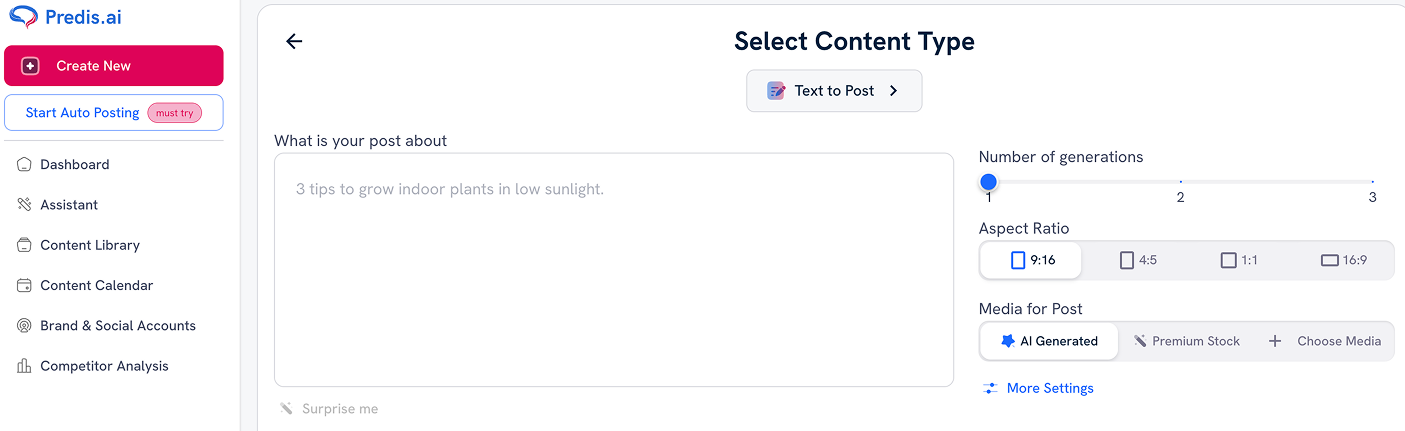
Verdict: worth it — the best all-rounder here for a business that wants the AI to do the heavy lifting.
Type “3 tips for winter lawn care” and Predis builds the whole post — image or video, caption, hashtags, sized for the platform, in your brand colors and voice. Most tools on this list write you a caption and leave you hunting for a visual. Predis does both in one pass, and can spin a month of posts from a single idea. Competitor analysis (enter a rival’s handle, see what’s working), plus Shopify, WooCommerce, Wix, and Squarespace integrations, round out a package clearly built for small sellers.
Pricing is credit-based, so do the math — and read it twice, because Predis’s own page gives two answers. Core is $19/month annual ($230/yr) or $32 monthly: 1,300 credits, 1 brand, 10 social accounts. The plan card suggests ~325 images or 33 videos a month; the FAQ says more like 86 images or 9 videos. Videos burn credits far faster, so real capacity depends on your mix. Also note: the trial is 3 days, needs your card, auto-charges, non-refundable. And Core — the tier you’d actually buy — doesn’t include auto-posting; that’s Rise ($40/mo annual) and up. Third-party reviewers add that generated images can look synthetic. None of this kills it, but go in with eyes open. Plans: Predis.ai’s pricing page.
2. Canva — cheapest capable option, if you design more than you schedule
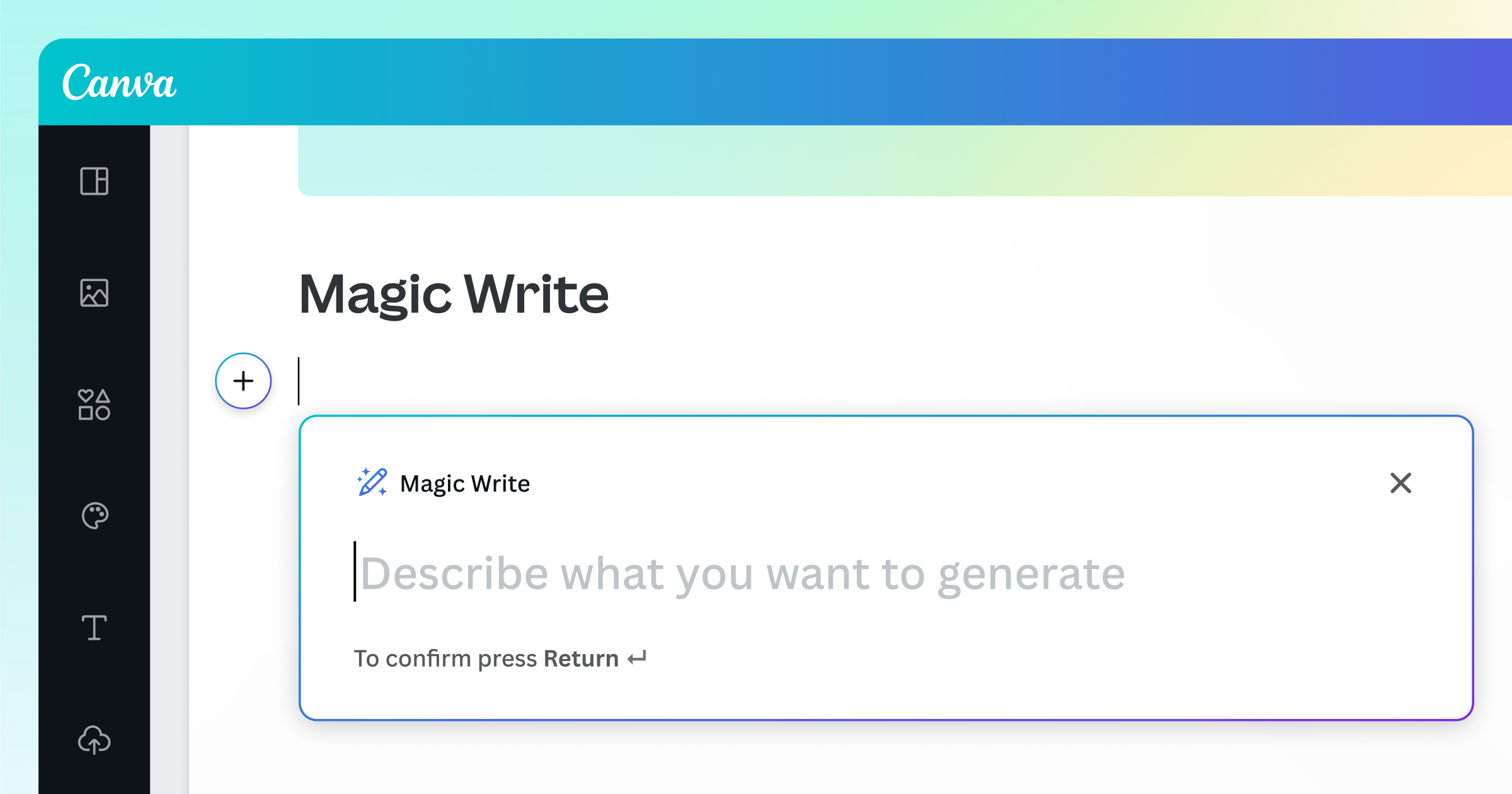
Verdict: worth it — with one caveat about what it isn’t.
Magic Write drafts captions in your Brand Voice, Magic Design turns a prompt into finished layouts, Magic Media generates images and video, Magic Switch resizes one design to every platform format, and the background remover is genuinely excellent. Everything stays editable — you’re never stuck with a flat AI export.
The math is the friendliest here: free ($0) gets 20 AI uses a month with Magic Write unmetered; Pro is $144/year ($12/mo) or $18 monthly, unlocking the background remover, 5 Brand Kits, and social scheduling. The caveat: Canva is a design tool with scheduling bolted on. Scheduling is basic versus real schedulers, Pro-only, and the AI allowance is metered with no rollover. (Per October 2026 reads of Canva’s pricing page — their site blocks automated checks, so verify live.) Decision rule: bottleneck is looking good? Canva Pro at $12/mo is the best value in this roundup. Bottleneck is posting consistently? Pair Canva free with Buffer below — $0 to start.
3. Buffer — the free starting point that doesn’t feel like a demo
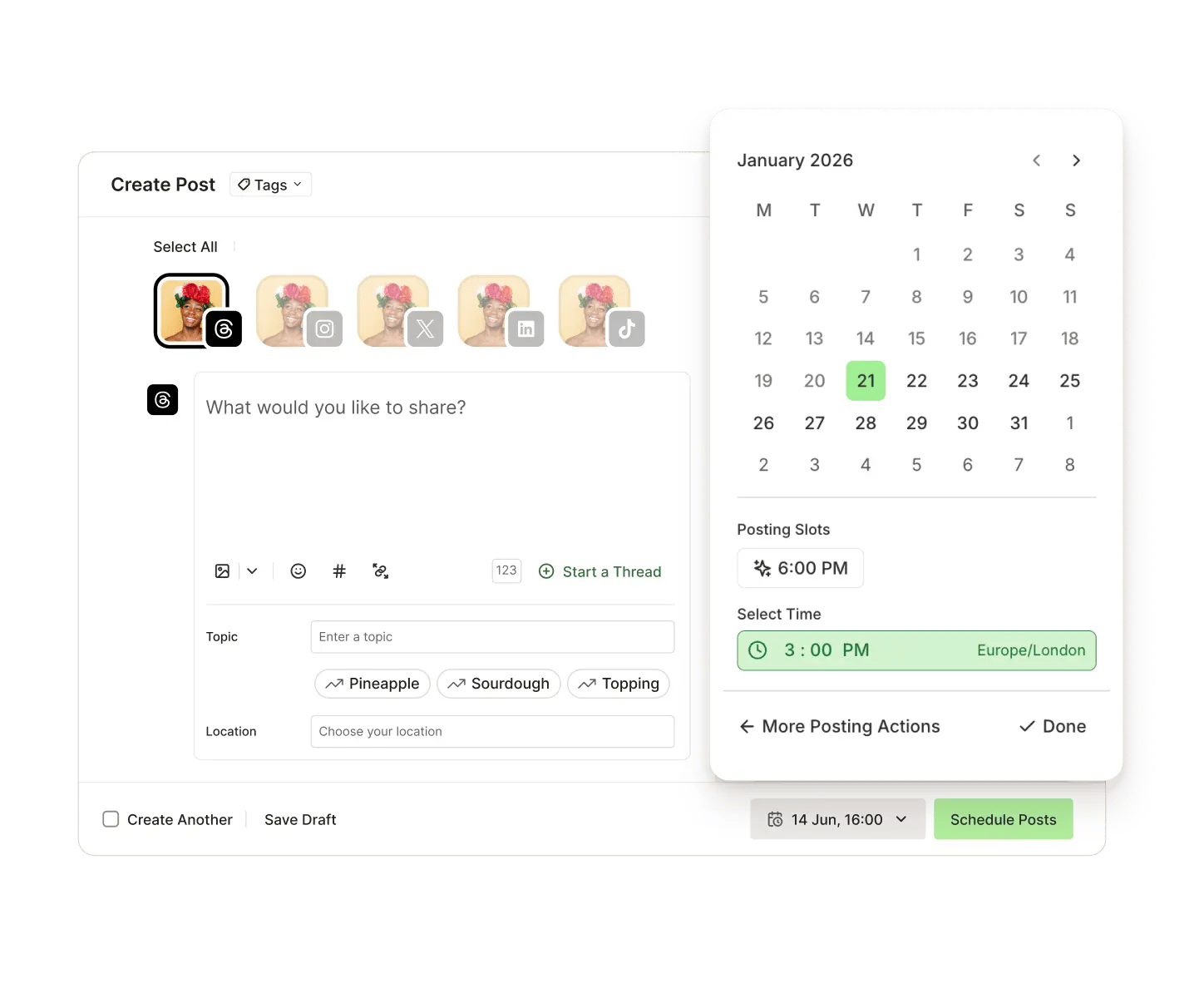
Verdict: worth it — start here if your budget is zero and your patience for complexity is low.
No credit systems, no 40-minute onboarding. Connect channels, write posts, they go out. The AI Assistant brainstorms ideas, rephrases drafts, and adapts posts per platform — included on the free plan: $0, 3 channels, 10 queued posts per channel, no card. That’s the most usable free tier on this list.
The catch is the per-channel pricing: Essentials is $5/channel/month annual ($6 monthly), Team $10 ($12). Six channels runs $30–36/month — quietly more than SocialBee’s flat $29. And the AI is a caption assistant, not a creative generator: no native AI images or video, so pair it with Canva. Honest division of labor, as long as you know it going in. Details: Buffer’s site.
4. SocialBee — for the business that wants content on autopilot
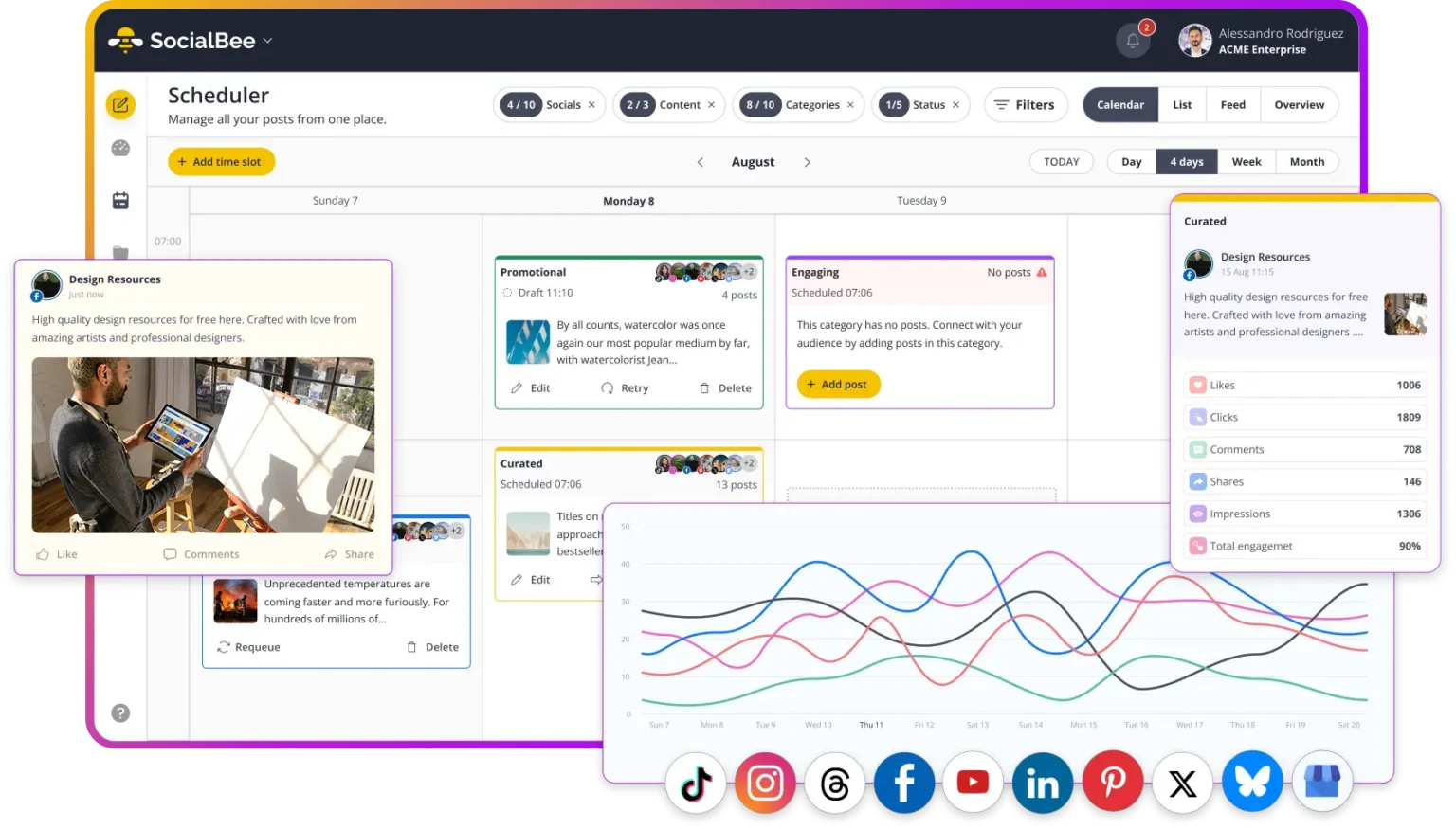
Verdict: worth it — if you’ll use the evergreen recycling. Skip if you just need a scheduler.
Copilot is the standout: paste your website URL and it builds a content strategy — platforms, categories, schedule, ready-to-edit posts. Then category-based scheduling recycles evergreen content indefinitely; your best tip from March resurfaces in September untouched. Bootstrap $29/mo ($24.17 annual), Accelerate $49 ($40.83), Pro $99 ($82.50) — AI generation and Copilot on every plan, no free tier, but the 14-day trial needs no card. Bootstrap’s 5-profile cap and missing approvals make Accelerate the real SMB tier. No native AI video, so video-heavy strategies need a second tool. For: established businesses with a content library and no time. Starting from zero? Predis fits better.
5. Vista Social — premium pick with a review-reply superpower
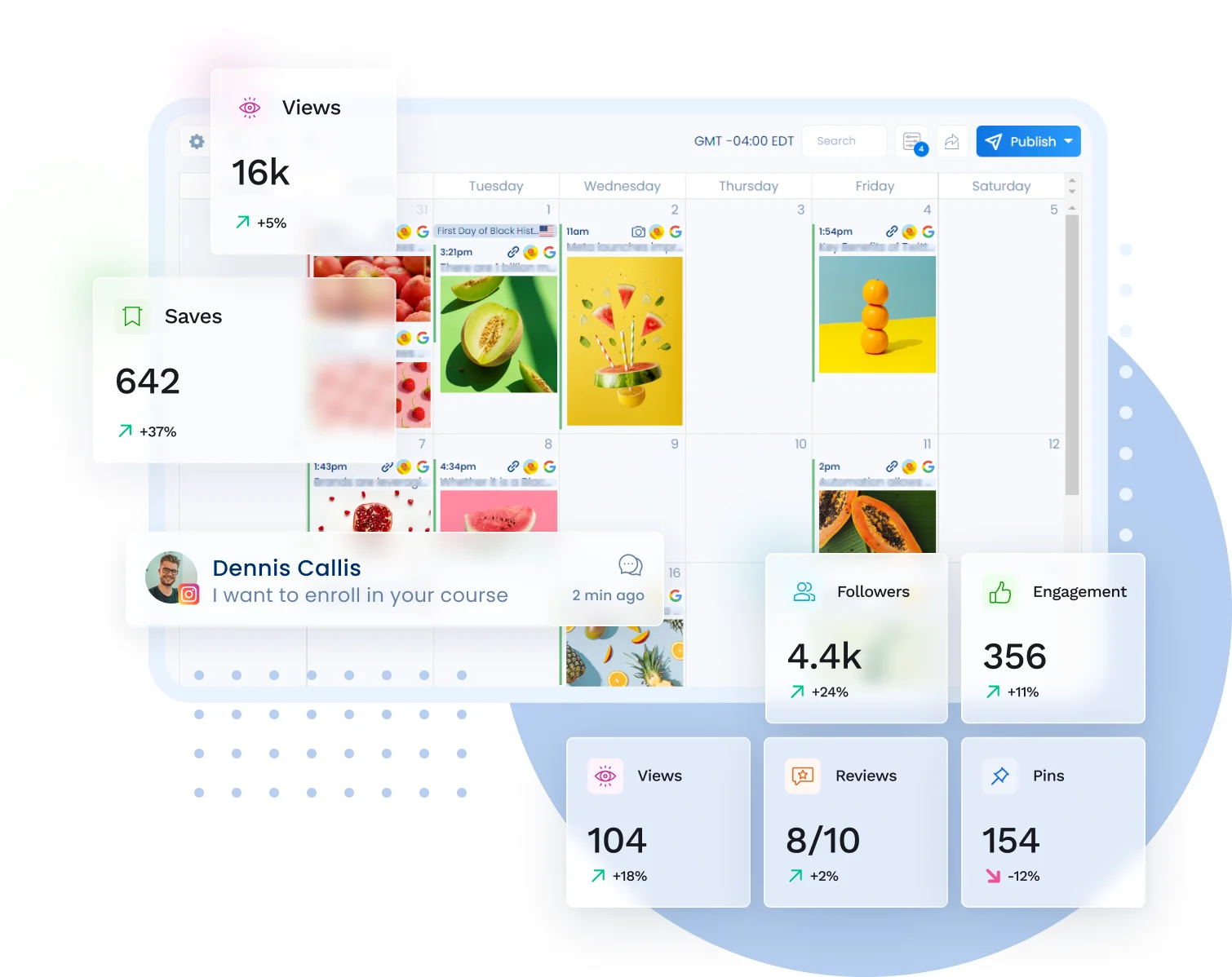
Verdict: worth it for review-heavy businesses; overkill for everyone else.
The most complete tool here: publishing, an AI Assistant drafting captions and replies in your brand voice, DM automations, social listening, and review management with AI-drafted replies across Google, Facebook, Yelp, and TripAdvisor. For restaurants, salons, clinics — anywhere reviews drive revenue — a scheduler that also drafts review responses is a real workflow win. (We cover dedicated AI review response tools separately.)
The price: Professional $79/month ($64 annual), Advanced $149 — and the gotcha: X/Twitter is $29/month extra per profile on every plan. AI credits are metered (1,000/month on Professional), and there’s no free plan. If reviews don’t drive your revenue, this is twice the money for features you won’t touch. If they do, one recovered unhappy reviewer pays for the subscription.
6. Ocoya — deep automation, but verify on the trial
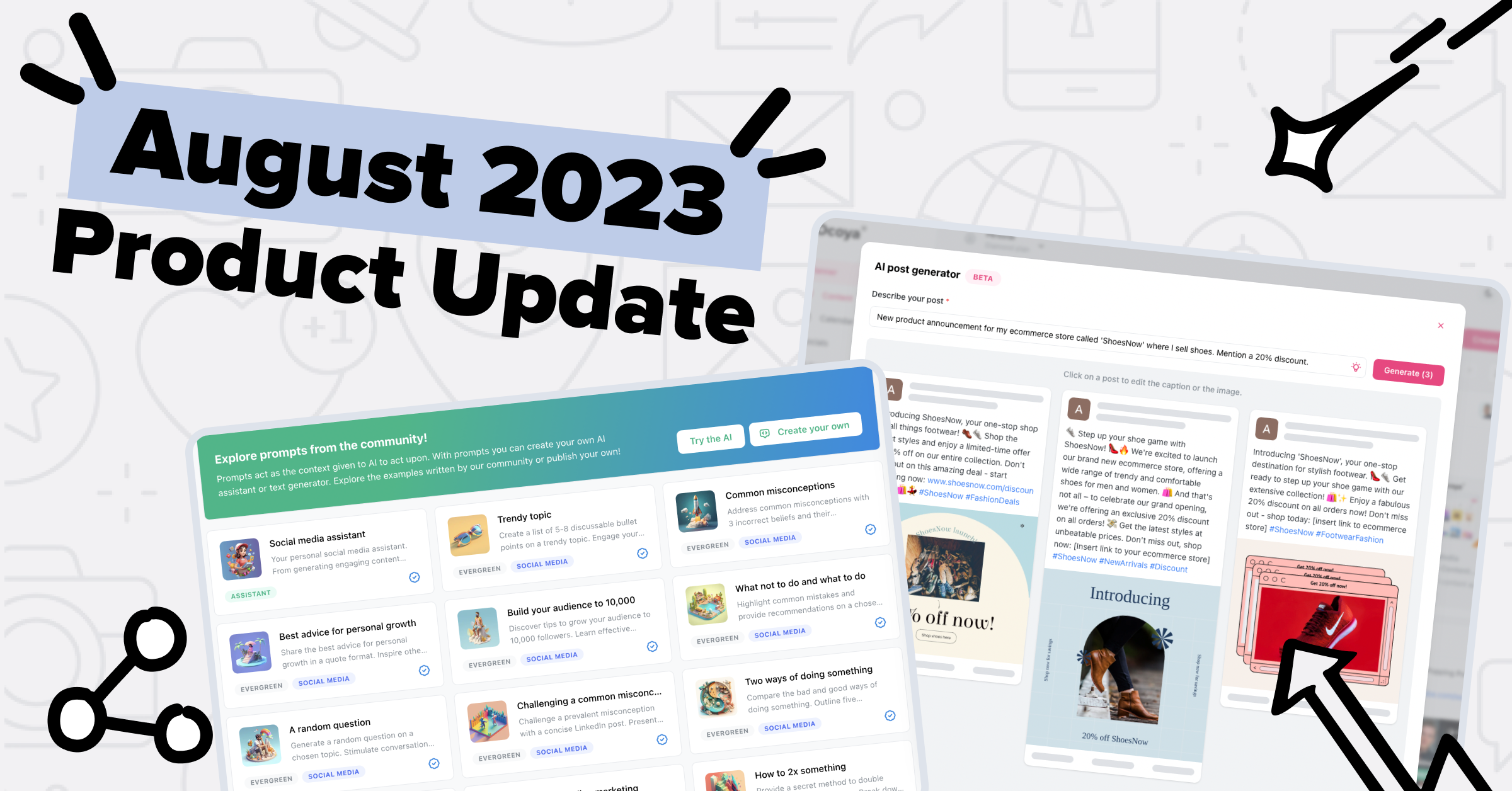
Verdict: promising, verify on the trial — real automation depth, value depends on whether you’ll use it.
Whole-post generation in your brand voice, then further than anyone else into automation: visual workflows (new WooCommerce product → auto-generated post), an AI DM chatbot, comment-to-DM lead capture, even MCP support to drive it from Claude or ChatGPT. $29/month (300 credits, 5 profiles), $79, or $199 under the new 2026 three-plan structure — ignore third-party pages showing the old four tiers, they’re stale. Friction: no free plan, a 7-day card-required trial that auto-renews, and credits (not posts) are the real limit. Reviewers mention occasional bugs. A lot of machine for $29 if you’ll build the workflows; if you just want posts made and scheduled, Predis is simpler for the same money. Pricing: Ocoya’s pricing page.
7. Lately — brilliant at one job, wrong for almost everyone else
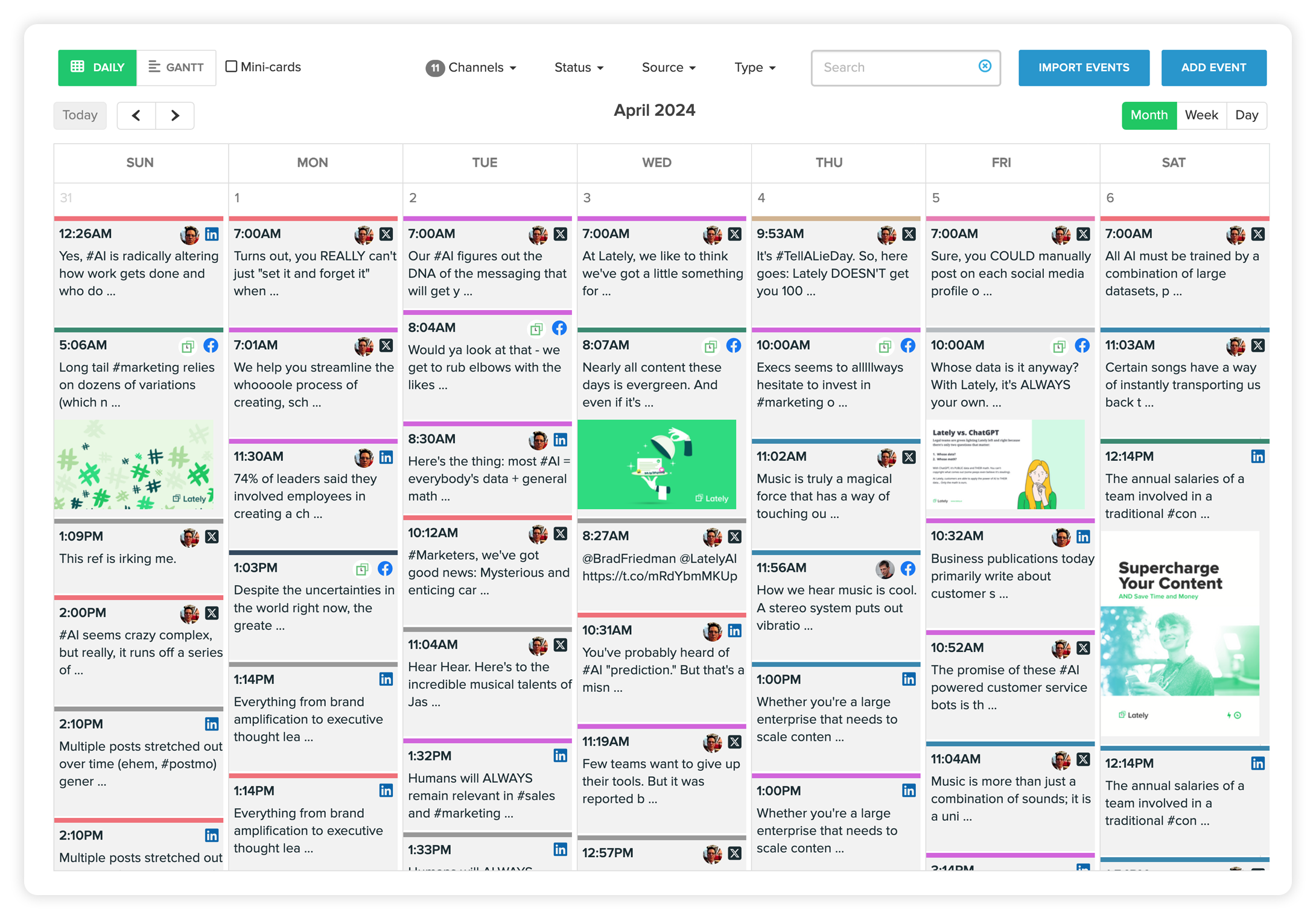
Verdict: skip it — unless you publish blogs or podcasts weekly.
The idea is distinctive: feed it a blog post or podcast, and the AI slices it into dozens of posts in a “voice model” of your brand tone. Genuine leverage — if you make long-form content. The packaging, though: Starter $14/month annual ($19 monthly), then Growth leaps to $199 — no middle tier. The pricing page contradicts itself, the FAQ names retired plans, the hyped “Kately” agent is still waitlisted, and worst of all: no TikTok, no Pinterest. No long-form content habit? This tool has nothing to work with. Clever idea, rough execution. Pass. Plans: Lately’s pricing page.
Free vs paid: what $0 really gets you
“Free AI social media tool” is what half of you searched, so here’s the honest picture. Buffer free ($0) — 3 channels, 10 queued posts each, AI caption assistant, no card — is the only genuinely usable free plan here. Canva free ($0) adds 20 AI uses a month and unlimited AI captions, but no scheduling. Together they’re a workable $0 stack. Everyone else: Predis.ai and Ocoya run short card-required trials; SocialBee gives 14 days with no card. The pattern is simple — scheduling can be free, generation costs GPU money. You start paying (from $19/month) when you want the AI to invent the content, not just arrange it.
Which tool for which business? (my picks)
- Online store: Predis.ai — ecommerce integrations and product-post generators built for you. Pair with our AI product description guide for the listing side.
- Local services (salon, clinic, restaurant): Vista Social if reviews drive revenue; otherwise SocialBee — set up evergreen categories once, stop thinking about posting.
- Solo owner, tight budget: Buffer free + Canva free ($0), upgrade to Predis.ai when the business funds $19/month.
- Blog/podcast/YouTube creators: Lately repurposes long-form best — if you can live within Starter or stomach $199.
And whichever scheduler you pick, build the channel you actually own: turn followers into an email list. Our AI email marketing tools guide compares eight platforms, including the $0 ways to start.
Don’t let the AI make you sound like everyone else
The uncomfortable truth: with 10 million advertisers on the same generative tools, a lot of feeds are about to look identical — and the “AI slop” backlash is already brewing in marketing threads. The tools aren’t the problem; unedited output is. Three rules: train the brand voice (feed the tool your website or past posts — 20 minutes of setup, pays off for months); rewrite the hook yourself (the first line is where generic AI shows most, and it’s what stops the scroll); post one real thing weekly — a phone photo from the shop, 30 seconds of actual work. Meta’s new tools can turn your product photos into video ads in seconds, but the photo still has to be yours. AI fills the calendar; authenticity fills the comments. For the full marketing stack, see our best AI marketing tools for small business pillar guide.
Frequently asked questions
What is the best AI social media content generator for small business?
Predis.ai ($19/mo) is the best all-rounder — it generates the complete post (visual, caption, hashtags) from one line and schedules it. Canva Pro ($144/yr) wins on design quality and value, and Buffer’s free plan is the best $0 start with an AI caption assistant included.
Is there a free AI social media content generator for small business?
Partly. Buffer’s free plan (3 channels, AI assistant) plus Canva’s free tier (20 AI uses/month, unlimited AI captions) make a workable $0 stack. No tool here generates full AI visuals and schedules entirely free — generation costs real money, so expect ~$19/month for that.
Will AI-generated posts hurt engagement or get flagged as spam?
Platforms penalize spammy behavior, not AI assistance — Meta’s own tools serve nearly 10 million advertisers. What hurts is unedited generic output. Train the brand voice, rewrite the hook yourself, and mix in real photos and video from your business.
Can these tools publish directly to TikTok and Instagram?
Six of the seven publish to both via official APIs — the exception is Lately, which supports neither TikTok nor Pinterest. Watch Vista Social’s $29/month-per-profile X/Twitter add-on, an easy cost to miss.
How much should a small business pay for an AI social media tool?
$0–$50/month covers nearly every small business. Start free with Buffer + Canva; step up to Predis.ai ($19) or SocialBee ($29) for AI generation or automation. Above $50 (Vista Social $79, Ocoya $79) only makes sense for the advanced features — review management, DM automation, deep workflows.
The bottom line
AI social content crossed into the mainstream this month — 10 million advertisers can’t be wrong about the direction, even if plenty of them are posting forgettable content. The tools that earn their keep remove a real bottleneck: Predis.ai kills the blank page, Canva kills the design bottleneck, Buffer kills the scheduling chaos, SocialBee kills the “what do I post today” dread. Find the bottleneck that’s costing you customers, pay for that, and keep one human fingerprint on everything you publish. That’s the whole strategy.
Found this useful? I publish one hands-on tool guide every day. Here’s who’s behind ToolsBizAI and how we test.
Enjoying ToolsBizAI guides?
Add us as a Preferred Source on Google — you'll see our latest tools and guides first in Search, Top Stories, and AI Overviews.
Last updated: October 22, 2026
Get One Useful AI Tool Tip Every Week
One practical AI tool tip in your inbox every week. No spam, unsubscribe anytime.

We’re the team behind ToolsBizAI. We hands-on test AI tools for small businesses — signing up for free plans, taking real screenshots, and fact-checking every claim before publishing. Our guides cover marketing, customer support, and day-to-day operations.