
You don’t need a video team to use AI video marketing tools for small business. You need one video a week that doesn’t embarrass you, and a bill you can defend.
The best AI video marketing tools for small business are InVideo for script-to-video promos, HeyGen for avatar presenters, Synthesia for training videos, Pictory for turning articles into video, CapCut for editing footage you shot. The rest are specialists: buy them for one job, not for everything.
In this guide you’ll find: all 10 tools compared on price and free limits, cost-per-finished-video math, picks by business type, pitfalls, FAQ.

TL;DR
- Start with the job, not the tool — promo, presenter, training, repurposing, and editing are five different jobs.
- Free plans are for testing, not publishing — nearly every free tier here watermarks your video or blocks commercial use.
- The cheapest honest stack: CapCut or Canva for editing, plus one paid generator (HeyGen, Synthesia, Pictory) for videos you can’t film.
How we tested
I opened and read each tool’s official product and pricing pages on 24–25 October 2026, re-checking the six most volatile prices on 25 October. I ran no card-walled trials or paid accounts and generated no test videos, so I claim nothing about render speed or support times. Where an official page didn’t render a figure, I label the number tracker-reported with its check date. Check the live page before you pay. No affiliate links are used here.
This guide sits in our marketing stack: best AI marketing tools for small business, AI email marketing tools for small business, and AI social media content generator for small business. By the ToolsBizAI Team.
The 10 tools, compared honestly
| Tool | Best for | Free tier | Entry paid plan |
|---|---|---|---|
| InVideo | Script-to-video promos | Not spelled out on the pricing page (see note) | Starter $10/mo billed annually, 400 credits/mo |
| HeyGen | Avatar presenters, sales video | 3 videos/mo, max 1 minute, watermarked | Creator $29/mo ($24/mo annually), 600 credits, no watermark |
| Synthesia | Training, onboarding, explainers | Basic $0: 500 credits/mo + 10 minutes, 9 avatars, watermarked | Starter $29/mo monthly, 1,250 credits (~12 min extra), no watermark |
| Pictory | Articles and scripts into video | 14-day trial: 300 credits (~10 minutes), watermarked — a trial, not a plan | From $25/mo billed annually |
| CapCut | Editing your own footage, short-form | $0 editor; own-footage exports generally without a CapCut watermark | Pro $19.99/mo, 1,200 AI credits |
| Canva Video | Branded social videos from templates | $0: full editor, 1 Brand Kit, 5 GB, limited AI uses | Pro reported $18/mo or $144/yr (tracker, 15 Oct 2026 — verify at checkout) |
| Descript | Editing talking-head video by editing text | 1 media hour/mo, 100 AI credits (one-time), 720p, watermarked | Hobbyist reported $24/mo ($16/mo annually), 10 hours, 1080p, no watermark |
| Runway | Generative clips, editing real footage | 125 credits, one-time only, watermarked | Standard $15/mo ($12/mo annually), 625 credits/mo, no watermark |
| Google Flow (Veo 3.1) | Short cinematic clips, stitched into scenes | 50 Flow credits/day | AI Plus $4.99/mo (200 credits); AI Pro $19.99/mo (1,000 credits) |
| Kling | Longer generative clips, strong motion | Basic $0: no monthly credits, 720p, watermarked, non-commercial | Standard list $10/mo (ongoing $8.80/mo in trackers), 660 credits/mo |
InVideo note: its pricing page (re-checked 25 October 2026) lists credit plans — Starter, Plus ($30/mo billed annually, 2,000 credits), Max ($75/mo billed annually, 5,000 credits) — with no rollover. Older minute-based guides are stale. I could not verify a current free tier, so I won’t quote one.
How much does a finished video actually cost?
I priced a month: 8 finished videos of about 60 seconds, each with one failed attempt or retake.
| Plan | Cost per shipped video | Does the allowance cover 16 minutes of output? |
|---|---|---|
| HeyGen Creator ($29/mo) | $3.63 | Yes — Avatar IV runs about 16–31 credits per minute (HeyGen’s FAQ), so 16 minutes is roughly 256–496 credits of 600. |
| Synthesia Starter ($29/mo) | $3.63 | Yes, just: free allowance (10 min) + ~12 extra minutes = ~22 minutes. Sixteen fits; a ninth hurts. |
| Pictory Starter (from $25/mo annually) | About $3.13 | Yes on minutes (200 video minutes/mo, tracker figures); the squeeze is AI credits for generative clips. |
| CapCut Pro ($19.99/mo) | $2.50 | Yes for editing — the meter that matters is AI credits (1,200/mo), not minutes. |
| Canva Pro (reported $18/mo) | $2.25 | Yes for template video — no per-video meter; the limit is premium assets and AI uses. |
| Runway Standard ($15/mo) | Looks like $1.88 — a trap | No — Gen-4.5 costs 12 credits per second, so 625 credits buy about 52 seconds total, not 8 videos, not even one 60-second video. |
| Google Flow Pro ($19.99/mo) | $2.50 on paper | Only for short clips: a Fast clip costs 20 credits for ~8 seconds, so a 60-second video needs ~8 clips (160 credits); Pro covers ~6 such videos before retakes. |
| Kling Standard (list $10/mo) | Can’t be computed honestly | Unknown — I could not verify Kling 4.0’s per-second credit cost on Standard, so any figure would be invented; treat the gap as a warning. |
Subscription price means nothing until you divide it by finished videos: avatar and script tools look expensive at $29 and turn out cheap per video, while generative tools look cheap at $12–$20 and turn out expensive per finished minute — every retake bills again.
Which tool should you pick?
Solo owner posting on social every week
CapCut, with Canva as runner-up. You already have the footage — your shop, your face, your product. CapCut’s free editor handles captions, cuts, and templates; Pro at $19.99 a month is the cheapest honest seat. Add Pictory only if you have a blog to repurpose.
Small team selling or converting
HeyGen. A small team needs a presenter who never calls in sick, speaks the customer’s language, and can personalise outreach video without a shoot. Creator at $29 a month covers a realistic volume, with translation and lip-sync built in. Keep a human on camera where trust is the product — founder story, apology, big promise. An avatar can’t carry those.
Training staff or explaining the same thing fifty times
Synthesia. It’s the dullest pick here and the right one for this job. Script edits replace reshoots, and 140+ languages cover a multilingual team. Starter’s allowance is tight (~22 minutes a month with the free allowance), so batch scripts monthly. Past that, Pro at $89 a month (6,000 credits, ~60 extra minutes) is the honest next step.
The tools in more detail
InVideo: fastest from script to promo. Type a prompt or paste a script and invideo assembles scenes, voiceover, music, and captions. Watch the credits: Starter gives 400 a month, and Seedance 2.5 at 1080p runs about 96 credits per 5 seconds — generating every second instead of using stock burns credits fast. Limitation: template-heavy output looks like everyone else’s without your own footage.
HeyGen: the avatar tool I’d actually pay for. Free (3 short videos a month, watermarked) is a test, nothing more. Creator at $29 a month is where it becomes a business tool: 600 credits, 1080p, no watermark, voice cloning. Limitation: avatars still read as synthetic, and Avatar V costs more credits (48 in HeyGen’s FAQ).
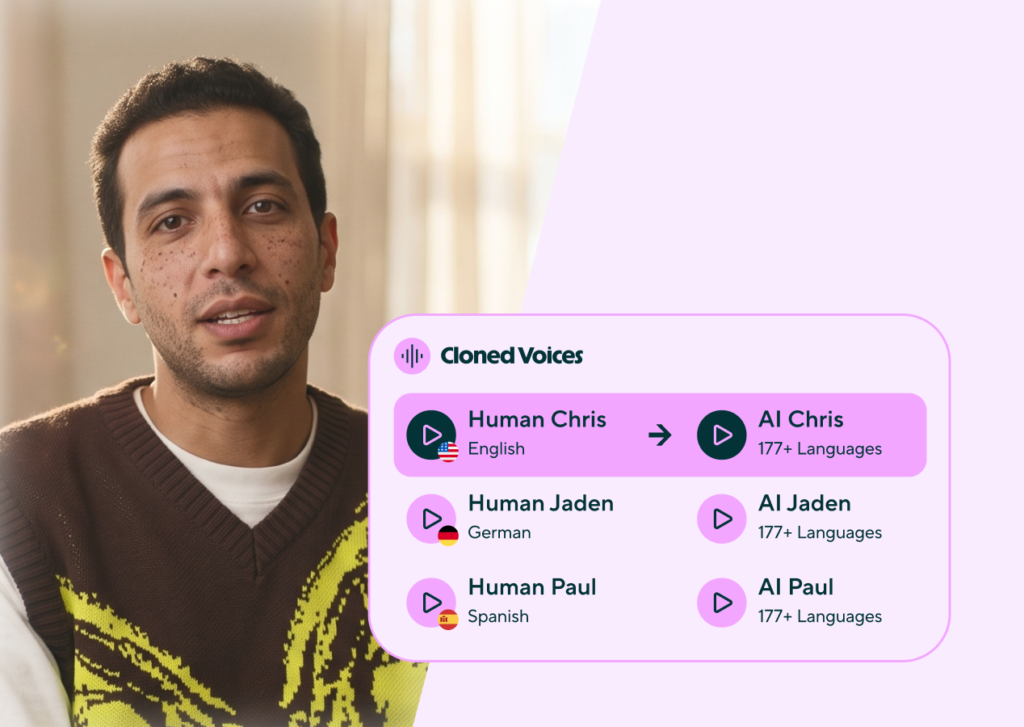
Synthesia: training video without a studio. Free Basic (10 minutes a month, watermarked, 9 avatars) tests whether avatar training works for you. Starter at $29 a month buys watermark removal, downloads, 125+ avatars, ~12 extra minutes. Limitation: the minute allowance is the real price.
Pictory: your blog, turned into video. Paste a post, script, or URL and it splits the text into captioned scenes with stock visuals and voiceover. The 14-day trial (300 credits, ~10 minutes, watermarked) tests one real article end to end. Limitation: stock-matched scenes can miss the point of your article — review every scene before publishing.

CapCut: the editor your phone footage deserves. Free to start, and stronger than most paid editors for short-form: timeline editing, auto-captions, templates, own-footage exports generally watermark-free. Pro at $19.99 a month adds 1,200 AI credits. The catch is the licence: CapCut grants commercial use per asset, not per video, so one non-commercial song can make a whole monetised video non-compliant — check each asset before posting an ad. CapCut was also named in Expert Consumers’ 25 October 2026 small-business roundup — but treat that as PR, not an independent test. Limitation: CapCut won’t write your video for you.
Canva Video: branded video at template speed. If your brand already lives in Canva, this is the fastest way to stay on-brand: templates, Brand Kits, one-click resize, Pro scheduling. Free includes the full editor. Limitation: it’s not a precision tool — frame-accurate work belongs in CapCut or Descript, and export tops out at 1080p on standard plans (tracker figures).
Descript: edit the words, and the video follows. Record or upload a video, get a transcript, and cut by deleting words. Filler-word removal, Studio Sound, and captions save hours. Free (1 media hour a month, 720p watermarked) is a genuine trial. Hobbyist (reported $24 a month, $16 billed annually) is the first honest publishing tier: 10 media hours, 400 AI credits a month, 1080p, watermark-free. Limitation: Descript edits footage you already have.
Runway, Google Flow, and Kling: the generative trio. All three generate video from text or images and charge per second — retakes bill again. Runway is the most complete for a business that already edits: Gen-4.5 generation, Aleph 2.0 edits to real footage, Kling and Veo in one workspace. Google Flow (Veo 3.1) is the best value for short cinematic shots: 50 free credits a day, Fast clips at 20 credits, Quality at 100 — free credits cover about two Fast clips a day, never one Quality clip. Kling is the motion specialist: Kling 4.0 (October 2026) generates natively for 30 seconds in one pass, the longest single clip here. Limitation: clips are seconds long, so a 60-second ad is a stitching job. Note Google’s model names move fast — trackers report the Veo 3.1 preview models shut down on 22 October 2026, with Gemini Omni Flash replacing them.

Pitfalls that waste a small business’s video budget
The watermark trap. Free tiers watermark nearly everything here — a watermarked video on your business page tells customers you wouldn’t pay for your own marketing.
Stock-heavy output. Script tools match your words to stock footage loosely — put at least one real shot of your product, shop, or face in every video.
Paying per second for a per-minute job. Generative tools are brilliant for a 5-second product shot and a terrible way to produce a 60-second explainer: you pay for every second and every retake. Use them for shots, not whole videos.
The licence you didn’t read. CapCut’s per-asset rule is the sharpest example, but free music, stock, and voices often carry non-commercial limits. Before a video goes into a paid ad, check each asset’s licence.
When real footage beats AI, every time. Your founder explaining a price rise, a customer testimonial, a before-and-after of your actual work — film them on your phone and edit in CapCut or Descript. No avatar or generated clip beats the real thing for trust.
FAQ: AI video marketing tools for small business
Can a small business make videos for free?
Yes, for testing — not for publishing. CapCut’s and Canva’s free editors handle your own footage fine, and HeyGen, Synthesia, and Flow offer free tiers. But free avatar and generative outputs are watermarked or non-commercial in nearly every case. Budget one paid plan (from about $10–$29 a month) before publishing regularly.
How much should a small business spend on AI video tools each month?
For most owners, $20–$50 a month covers it: one editing tool (CapCut Pro at $19.99 or Canva Pro) plus one generator (HeyGen Creator or Synthesia Starter at $29, Pictory from $25 billed annually). Daily video or training at volume pushes it to $50–$100.
Which AI video tool is best for social media?
CapCut for editing footage you shot, Pictory for turning articles into clips, HeyGen for presenter-led Reels. Avoid generative tools for daily volume — per-second pricing punishes it.
Do AI videos hurt trust with customers?
Only the wrong ones do. Customers accept an avatar explaining a return policy or a generated product shot. They distrust an avatar delivering a testimonial, an apology, or a founder’s promise — keep those human.
Can I use free-plan videos in paid ads?
In most cases, no. Free tiers watermark output, block commercial use, or both (HeyGen, Synthesia, Descript, Kling, and Pictory’s trial all restrict commercial use on free). CapCut’s free export can be clean, but individual assets may still be non-commercial — check each asset’s licence before any paid placement.
How do I measure whether video marketing is working?
Pick one number per video type and watch it for a month: click-through rate for ads, profile visits for social, completion rate for training. Cost per finished video plus completion rate is the honest scoreboard, not video count.
The verdict: what I’d buy with a small-business budget
With $30 a month, I’d buy CapCut Pro for editing and spend the rest on one month of HeyGen Creator to test avatar explainers — then keep whichever customers finished. With $60, I’d add Pictory for repurposing. Runway, Flow, and Kling stay as shot-makers: brilliant for a 5-second hook, a budget fire asked to carry a whole video.
One thing to watch before you spend on video ads: YouTube’s Demand Gen update (October 2026) puts a conversational Business Agent inside video ads, answering shopper questions without leaving the video. That raises the bar for creative — the agent can answer, but only a good video earns the click.
Start with the job. Test free. Publish paid. Check the pricing page on the day you pay.
Enjoying ToolsBizAI guides?
Add us as a Preferred Source on Google — you'll see our latest tools and guides first in Search, Top Stories, and AI Overviews.
Get One Useful AI Tool Tip Every Week
One practical AI tool tip in your inbox every week. No spam, unsubscribe anytime.

We’re the team behind ToolsBizAI. We hands-on test AI tools for small businesses — signing up for free plans, taking real screenshots, and fact-checking every claim before publishing. Our guides cover marketing, customer support, and day-to-day operations.