
A customer lands on your site at 11pm asking “do you ship to Canada?” and nobody answers. By morning they’ve bought from someone else. That’s the case for AI live chat: it never sleeps. The best AI live chat software for small business is Tidio for stores, Crisp for tight budgets, tawk.to if you want to spend nothing. Intercom’s Fin is the smartest AI, but $0.99 per resolution gets expensive fast. The real cost is the AI meter under the plan price: at 500 chats, the cheapest and priciest sit $400 apart.
In this guide you’ll find all eight tools compared on free-plan limits, AI cost per conversation, and the true monthly total at 100, 500, and 1,000 conversations — plus a solopreneur’s guide to nights and weekends, and setup walkthroughs for WordPress, Shopify, and Wix. Choosing between a chatbot and live chat? Our best AI chatbots for small business guide covers that side. One thing changed while I was writing: on November 10, OpenAI rolled out Businesses in ChatGPT — your site’s chat has to be as instant, or you lose the sale.
TL;DR — the short version
- Best overall: Tidio. A real free plan, Lyro AI trained on your content, the clearest pricing here.
- Best on a tight budget: Crisp. Free for two seats, then a flat $45 a month.
- Best free option: tawk.to. Unlimited agents and chats for $0, with AI Assist from $29 a month.
- Best AI, worst bill: Intercom’s Fin, at $0.99 per resolution.
How we tested
Honesty first: I ran no paid trials or free-plan signups. I read every tool’s official pricing page, checked free-plan limits and AI meters against vendor documentation, and cross-checked prices across independent pricing guides citing the vendors’ own pages. Setup times are LiveAgent’s published hands-on test (Nov 2–6, 2026), cited as theirs. Vendor resolution claims are labelled as such. Prices are US list, annual billing, before tax, November 2026.
Best AI live chat software for small business: free plans and true monthly cost
Costs assume one owner, AI handling half your conversations; each vendor meters AI differently, so the table names the meter.
| Tool | Free plan | AI and how it bills | 100 convos/mo | 500 convos/mo | 1,000 convos/mo |
|---|---|---|---|---|---|
| Tidio | 50 convos/mo, 10 seats, 50 Lyro convos once | Lyro: from $32.50/mo per 50 AI convos | $32.50 | $224.17 | ~$592+ |
| Intercom | 14-day trial only | Fin: $0.99 per outcome | $78.50 | $276.50 | $524 |
| HubSpot | Live chat, 2 users | Breeze: ~$0.50 per resolved convo, Pro only | $90* | $185* | $310* |
| Zendesk | None — 14-day trial | $1.50 per resolution after 5 free | $122.50 | $422.50 | $797.50 |
| LiveChat (Text) | None — 14-day trial | 10–200 resolutions included, then $0.99 each | $58.60 | $128.50 | $376 |
| Crisp | 2 seats, unlimited convos, no AI | Hugo: credits included, ~$0.05–$0.10 per convo | $45 | ~$54 | ~$98 |
| Freshchat | Up to 10 agents, no AI | Freddy: $49 per 100 sessions | $68† | $166† | $264† |
| tawk.to | Unlimited agents + chats | AI Assist: from $29/mo | $29‡ | ~$119‡ | ~$174‡ |
* HubSpot: plus $1,500 onboarding once.
† Freshchat: steady state after the one-time 500 free sessions.
‡ tawk.to: estimate at ~5 AI replies per conversation (Auto model, 3 credits per reply).
1. Tidio — best overall for small business
Verdict: worth it. The best balance of price, AI quality, and ease for a typical small store.
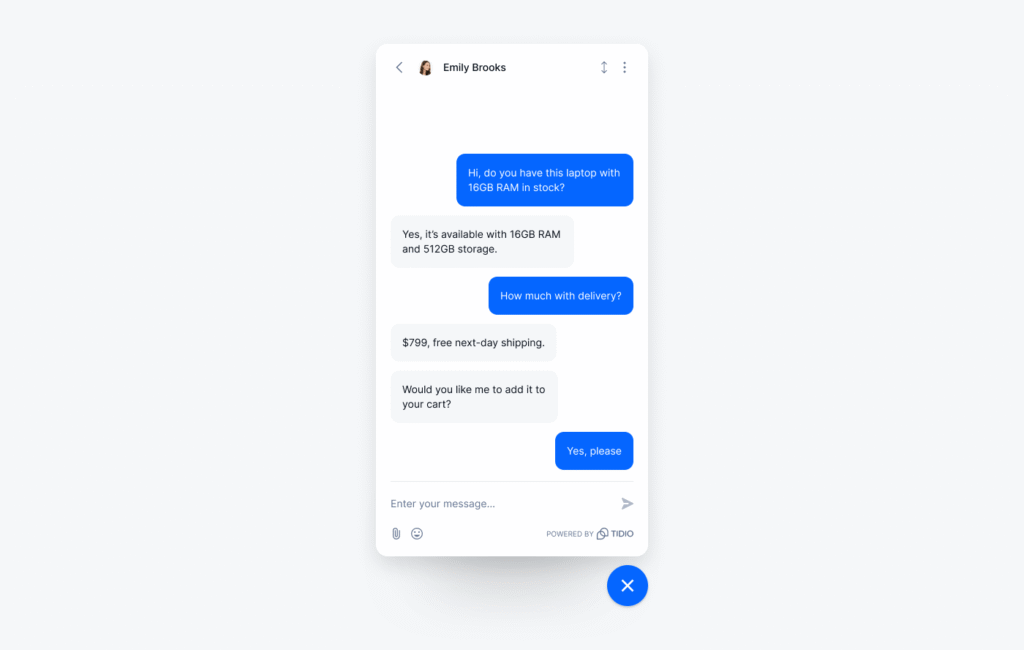
The free plan is genuinely usable — 50 billable conversations a month, 10 seats, live chat and ticketing — and Starter is $24.17 a month on annual billing. Lyro trains on your website and FAQs; Tidio claims a 75% resolution rate. Take that as a vendor claim — but in LiveAgent’s test, Lyro was one of only two AIs that answered with zero setup. The catch: three meters — human conversations, Lyro conversations, and Flows visitors — billed separately, and the free Lyro allowance is a lifetime one-off. At 100 conversations a month, Lyro costs $32.50 on top of the free plan; at 500, about $224; at 1,000, roughly $592.
2. Intercom — the smartest AI, the scariest bill
Verdict: worth it only if each conversation is worth real money. Skip it if you’re price-sensitive.
Intercom’s parent renamed itself Fin in May 2026 (Salesforce completed the acquisition on September 10, 2026), and Fin is the best AI agent here. It handles multi-turn conversations and claims a 76% resolution rate — no published method, so treat it as marketing. The problem is the invoice: Essential costs $29 a seat a month on annual billing (new customers see $19), and Fin costs $0.99 per resolved conversation. At 500 conversations that’s $276.50 a month for one seat; at 1,000, $524. No free plan, only a 14-day trial — buy it when one resolved chat is worth $20.
3. HubSpot — great if you already live in HubSpot, a trap if you don’t
Verdict: skip it for chat alone. Worth it only as part of a HubSpot setup you already pay for.
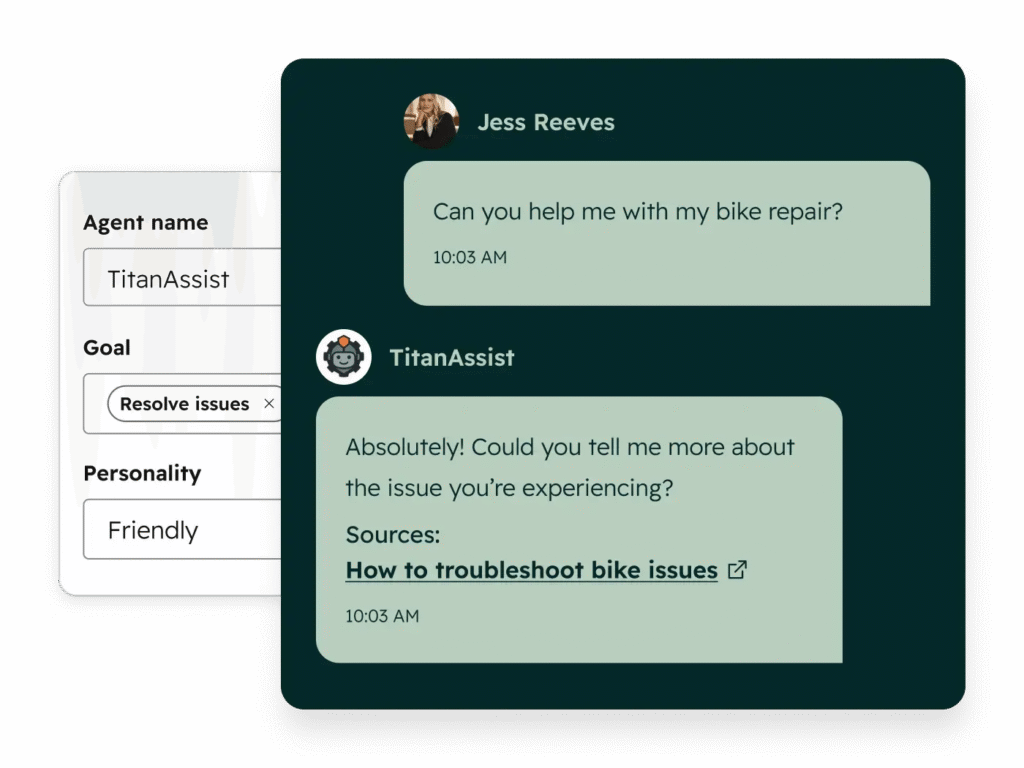
HubSpot’s “free live chat” hides a catch: the widget is free, but the intelligence isn’t. Free Service Hub gives you live chat and rule-based chatbots for up to two users — genuinely $0. But Breeze Customer Agent, the AI that answers from your knowledge base, only exists on Professional at $90 a seat a month, plus $1,500 onboarding. Then it bills about $0.50 per resolved conversation, 60 a month included. For one person that’s $90 a month plus $1,500 before the AI answers a single question — $185 a month at 500 conversations, $310 at 1,000. The exception: a business already running HubSpot CRM, where Breeze answers with your customer history behind it.
4. Zendesk — enterprise muscle at an enterprise price
Verdict: skip it. Too much product and too much money for a small team.
Zendesk’s AI agents train on your help center, build multi-step procedures in the Action Builder, and work in 80+ languages. But the $19 Support Team plan has no live chat at all. Chat starts on Suite Team at $55 an agent a month, with five free AI resolutions monthly. After that it’s $1.50 per resolution committed, $2.00 pay-as-you-go. At 500 conversations with half resolved by AI, that’s $422.50 a month for one agent; at 1,000, $797.50 — the priciest here, before the $50-a-month Copilot add-on. Legacy AI Agents–Essential features end December 10, 2026, so old reviews praising a cheaper tier are out of date.
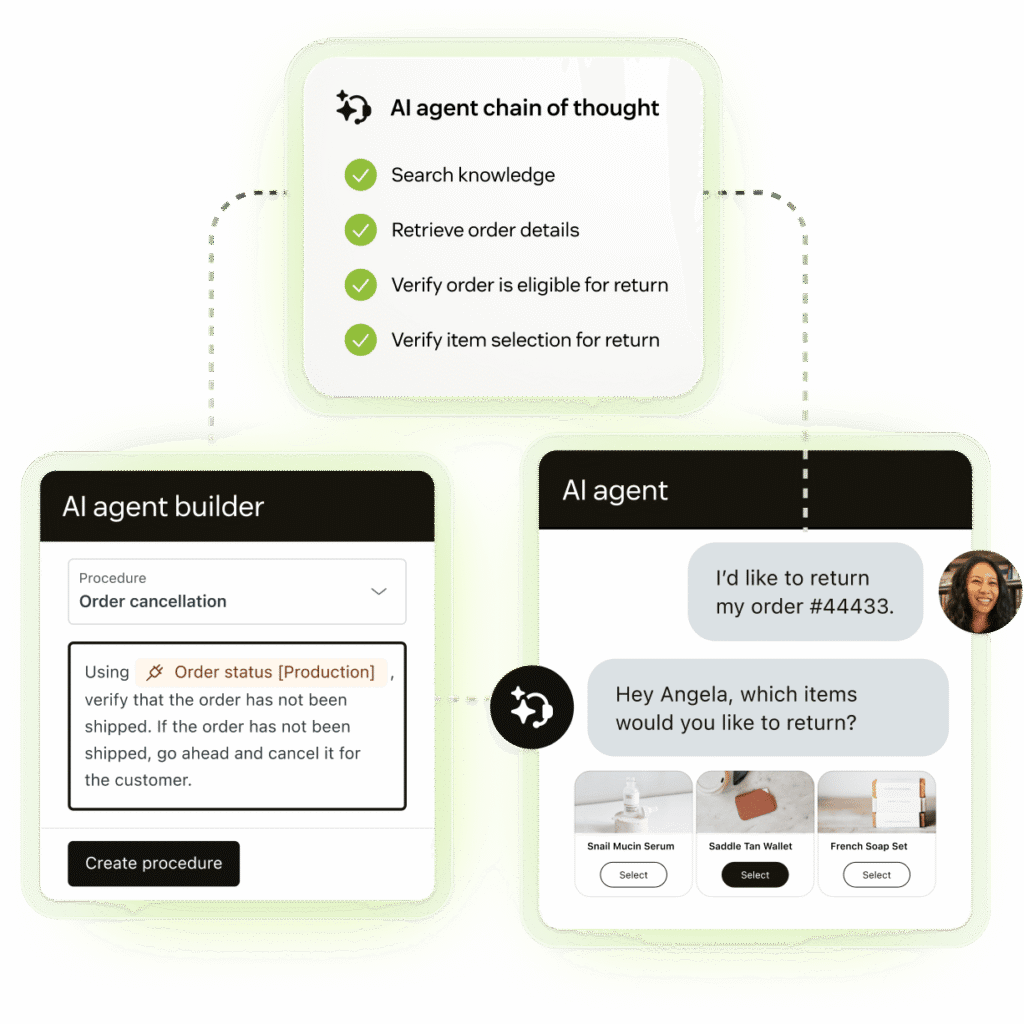
5. LiveChat (Text) — the fastest human chat, with a stingy AI allowance
Verdict: worth it if your team answers chats by hand. Watch the 10-resolution cap.
Text plans bundle live chat, a shared inbox, ticketing, and an AI Agent in one workspace. Essential is $19 a user a month on annual billing, Growth is $79, with a 14-day trial and no free plan. In LiveAgent’s test, LiveChat was one of only two tools whose AI answered with no setup — and agents get the fastest inbox here. The catch is the AI allowance: Essential includes just 10 AI resolutions a month for the whole account, not per agent. Growth includes 200; extra packs cost $49.50 per 50 resolutions. At 500 conversations, Growth is the right plan at $128.50 a month; at 1,000, it’s $376.
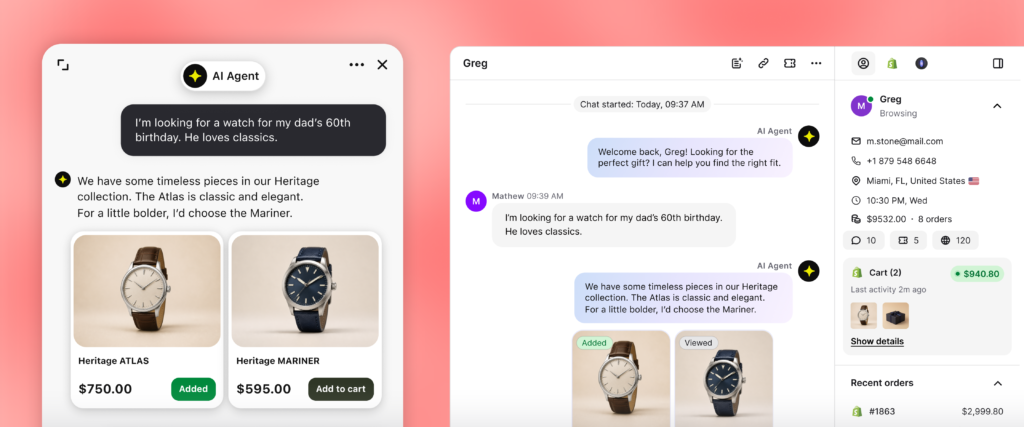
6. Crisp — the flat-price favourite for small teams
Verdict: worth it. The best deal in this roundup once your volume grows.
Crisp is the only tool here that doesn’t charge per seat: free for two seats, $45 a month for four on Mini, $95 for ten on Essentials, $295 for twenty-plus on Plus — unlimited conversations on every plan. Hugo runs on credits included in each paid plan: $5 on Mini (about 90 automated conversations), $25 on Essentials (about 450), $75 on Plus (about 1,350). The free plan has no AI credits, so you can’t test Hugo without paying. Two warnings: step pricing bites — your fifth agent doubles the bill from $45 to $95 — and Crisp doesn’t publish top-up credit prices. Even so, Crisp is the cheapest here at 1,000 conversations — about $98 a month.
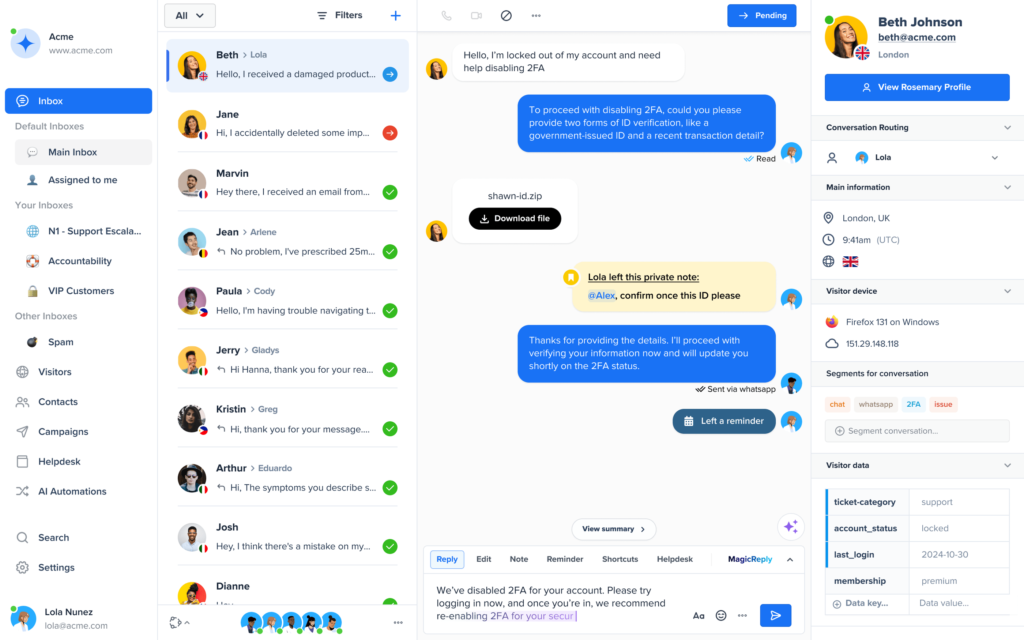
7. Freshchat — the most generous free plan, with a meter that bills failures too
Verdict: worth it if you need a free start for a team. Read the Freddy fine print first.
Freshchat’s free plan is the most generous here: up to 10 agents, with the chat widget, a shared inbox, and email — all $0. Growth is $19 an agent a month for WhatsApp, Messenger, and reporting. Freddy is where you need to pay attention: 500 free sessions once per account — once, not monthly — then $49 per 100 sessions. A Freddy session counts even if the customer ends up needing a human. Other tools charge when the AI resolves something; Freshchat charges when the AI talks to someone. At 500 conversations a month that’s $166; at 1,000, $264. Get your help content right before switching Freddy on.
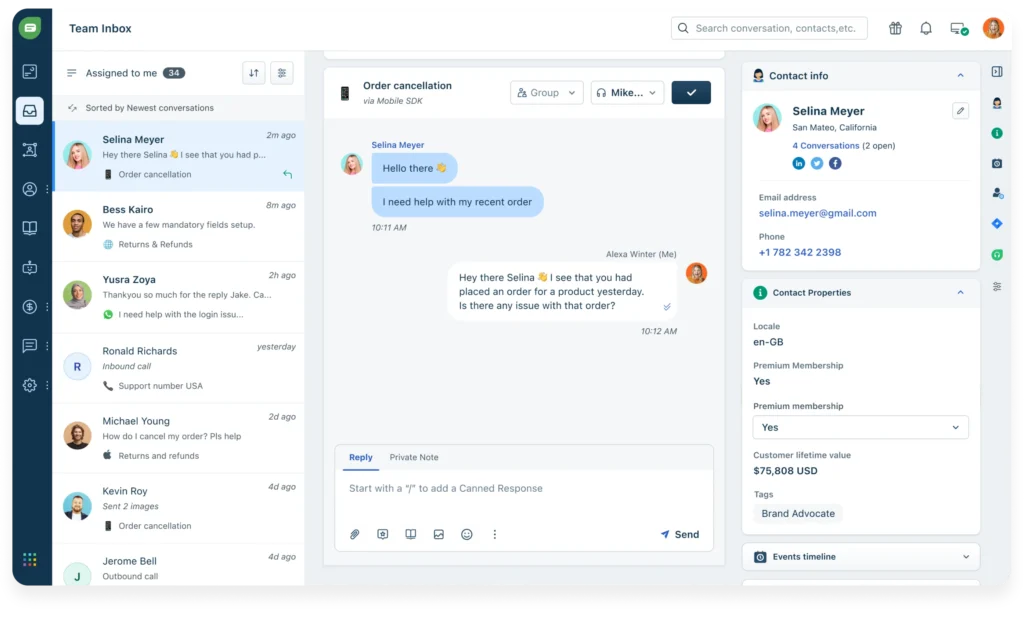
8. tawk.to — free forever, and the AI costs less than lunch
Verdict: worth it, especially at $0. The best starting point in this entire roundup.
tawk.to has given live chat away free since 2013: unlimited agents, unlimited chats, ticketing, a knowledge base, and a CRM for $0, forever. Its money comes from add-ons — AI Assist, an AI agent trained on your knowledge base. AI Assist is free for 100 AI messages a month, then Growth at $29 a month for 1,000 credits. One wrinkle: the Auto model uses three credits per AI reply, so 1,000 credits is roughly 330 replies. At 100 conversations a month, $29 covers you; at 500, around $119; at 1,000, around $174 — still second-cheapest here, behind only Crisp. The trade-offs: the “Powered by tawk.to” badge stays unless you pay $29 a month to remove it, and add-ons are per website.
The solopreneur’s guide to covering nights and weekends
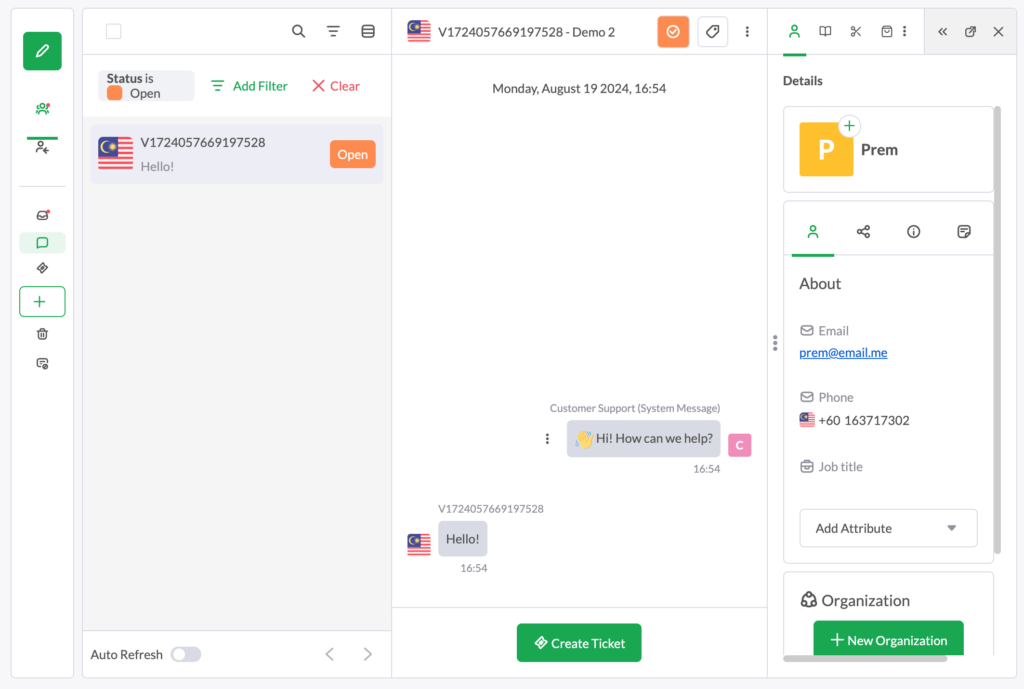
You can’t staff chat at 2am. Your AI can — if you set it up for the hours you’re not there. First, pick a tool whose AI answers without a human in the loop: Tidio, Intercom, Crisp, Freshchat, LiveChat, and tawk.to all do this; HubSpot’s and Zendesk’s AI need paid tiers. Second, write down the ten questions you actually get — shipping times, returns, pricing — and put the answers in the knowledge base. An AI trained on three FAQ pages will embarrass you; one trained on your real answers sells while you sleep. Third, set the handoff: every tool here takes a name and email when the AI can’t help and turns it into a ticket.
How long does setup actually take?
Every vendor says “five minutes”. LiveAgent timed it: Crisp and tawk.to went from signup to first answered chat in about 4.1 minutes each; Intercom 6.3, LiveChat 6.8, Freshchat 8.3; Tidio, Zendesk, and HubSpot took 8 to 16 minutes, HubSpot slowest at 15.7.
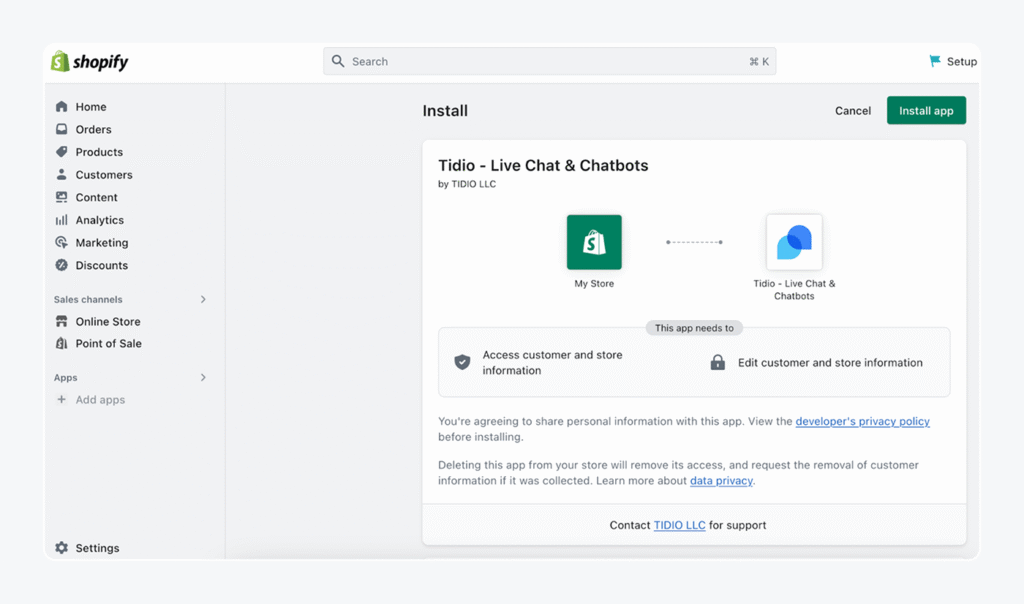
WordPress: install the vendor’s plugin from Plugins > Add New and connect your account; Tidio’s is the most popular at 70,000+ installs. Shopify: install the app, then switch on the widget in Online Store > Themes > App embeds. Wix: use the vendor’s app from the Wix App Market where one exists, or paste the vendor’s single JavaScript snippet into your site. The slow part is writing ten answers your AI needs.
What about the tools that didn’t make the eight?
LiveAgent charges $11 an agent a month on a special offer until November 22, 2026 (regularly $15), and its AI has no fees — you connect your own OpenAI or Anthropic key, about $0.11 a chat by their own October 2026 numbers. Strong if chat, email, phone, and social share one inbox. Olark‘s AI tier now costs $400 a month billed annually; the $29 human-only plan has no AI at all.
Frequently asked questions
How much can AI live chat actually resolve?
Vendors claim 50–76%: Lyro 75%, Fin 76%. Treat both as best-case numbers. In practice, expect 30–50% on a small knowledge base, more once you’ve fed the AI your real FAQs.
Does the AI need training?
Yes, but training is mostly feeding it content you already have. Every tool here can crawl your website and help pages, or you can upload FAQs and documents. Tidio and LiveChat answered with no setup at all in LiveAgent’s test.
How much does AI live chat cost per month?
At 100 conversations a month, tawk.to at about $29 and Tidio at $32.50 are cheapest; at 500, Crisp at about $54 leads; at 1,000, Crisp at about $98 is cheapest and Zendesk at $797.50 is the most expensive.
Is there a free AI live chat?
Nearly. tawk.to’s AI Assist is free for 100 AI messages a month, and Tidio gives every account 50 Lyro conversations free once. Crisp and Freshchat have generous free chat plans but no free AI.
Will AI chat hurt my customer relationships or my data privacy?
Only if you let it answer questions it doesn’t know. Set a clear handoff — “let me get a person for that” — and customers forgive the bot. On privacy, your chat data goes to the vendor and their AI sub-processors, so check the data processing agreement before installing. Never let an AI collect payment details or passwords.
The bottom line
Start with Tidio if you sell online, Crisp for one flat bill, tawk.to if your budget is zero. Intercom’s Fin is the best AI here, but only buy it when a resolved conversation is worth more than $0.99. Whatever you pick, price the AI at your real volume before you commit — the seat price is the advert; the AI meter is the bill.
Our AI helpdesk software for small business guide covers what to do when chat volume outgrows a widget, and our best AI marketing tools for small business and AI appointment scheduling software guides cover the wider toolkit. More on us at About Us.
Enjoying ToolsBizAI guides?
Add us as a Preferred Source on Google — you'll see our latest tools and guides first in Search, Top Stories, and AI Overviews.
Get One Useful AI Tool Tip Every Week
One practical AI tool tip in your inbox every week. No spam, unsubscribe anytime.

We’re the team behind ToolsBizAI. We hands-on test AI tools for small businesses — signing up for free plans, taking real screenshots, and fact-checking every claim before publishing. Our guides cover marketing, customer support, and day-to-day operations.