

If you still type invoice details into QuickBooks by hand, you are paying yourself to do a job a machine now does in seconds. I compared 7 AI data entry automation tools for small business on price, free tiers, accuracy claims, and data privacy — here is which one is actually worth your money.
The short answer: for most small businesses, Dext is the cheapest honest route at $25.21 a month, Parseur is the best fit when invoices arrive by email, and Veryfi’s free tier covers up to 100 documents a month. Nanonets is the strongest pay-as-you-go option, while Rossum’s $18,000-a-year starting price rules it out for almost every small business.
TL;DR — the verdicts up front
- Dext — best for most small businesses: $25.21/mo, 250 docs, into QuickBooks and Xero.
- Parseur — best for email invoices: free for 20 pages/mo; $39/mo billed yearly.
- Veryfi — best free start: 100 docs/mo free, forever, plus fraud detection.
- Nanonets — best pay-as-you-go: about $0.44 per invoice, $100/mo floor.
- Zapier — best DIY route: moves data well, but cannot read a scanned PDF alone.
- Docsumo — strong, no published price: trial it, but get the quote in writing first.
- Rossum — skip it: excellent software, $1,500/mo on average.
In this guide: what each tool extracts, what it costs at 50 and 200 invoices a month, each vendor’s accuracy claim (labelled as theirs), and what happens to your data — alongside our best AI productivity tools for small business roundup.
How we tested — and what we didn’t
I opened and read every tool’s official pricing page, homepage, and privacy pages on 15 November 2026, and checked each free tier and trial in writing.
What I did not do: run the same 10 invoices through each tool. No card-walled trial was run, and no accuracy test was run by us. Accuracy figures are the vendors’ own published claims, labelled as such. Product images are the vendors’ official screenshots, not shots from my own test runs.
What “AI data entry automation” actually means
Two kinds of tool share this label, and mixing them up is the easiest way to waste money. Dedicated document AI reads the paper: you send it a PDF, a photo, or an email attachment, and it pulls out the vendor, date, total, and line items, then pushes them into your accounts. Nanonets, Rossum, Docsumo, Veryfi, Dext, and Parseur all work this way.
DIY automation moves data that is already digital. Zapier can pull fields out of an email or a form with an AI step — but it cannot read a scanned PDF by itself. Intuit’s 2026 AI Impact Report found 77% of U.S. small businesses now use AI regularly.
The short answer: which tool for which business
| Your situation | Pick this | Why |
|---|---|---|
| You run QuickBooks or Xero and handle receipts and invoices | Dext | Cheapest real path |
| Invoices arrive by email as PDFs | Parseur | Mailbox in, spreadsheet out |
| You want to try before you spend anything | Veryfi | 100 docs/mo free, forever |
| Volume is growing and you want pay-per-document | Nanonets | $0.44 per invoice, no seat licences |
| Your data is already digital and you live in Zapier | Zapier | Best connector; needs an OCR step |
| You process lending or insurance documents | Docsumo | Built for financial documents |
| You are a scale-up with serious AP volume | Rossum | Superb — at a price that says so |
What does it actually cost? 50 and 200 invoices a month
Prices verified on the official pricing pages on 15 November 2026; I assume one-page invoices.
| Tool | Free tier | 50 invoices a month | 200 invoices a month |
|---|---|---|---|
| Nanonets | $50 in free credits | $100/mo (Starter floor) | $100/mo (Starter floor) |
| Rossum | 14-day trial | $1,500/mo avg | $1,500/mo avg |
| Docsumo | 14-day trial, 1,000 pages | Quote only | Quote only |
| Veryfi | 100 docs/mo free | $0 | $500/mo floor |
| Dext | 14-day trial, no card | $25.21/mo | $25.21/mo |
| Parseur | 20 pages/mo free | $49/mo ($39 yearly) | $129/mo ($99 yearly) |
| Zapier | 100 tasks/mo free | $19.99/mo | $39/mo |
Nanonets charges per “block”: a lean invoice flow runs about $0.44 per invoice, so 50 invoices cost about $22 — but the $100-a-month Starter floor means you pay $100 until you pass roughly 227 invoices a month. Rossum’s Starter is $18,000 a year with a one-year minimum contract: $30 per invoice at 50 a month, $7.50 at 200.
Veryfi’s free tier is genuinely usable: 100 documents a month at $0. Past that, the $500-a-month Starter floor bites hard — your usage at 200 invoices would only be about $32. Dext is the cheapest paid option at either volume: $25.21 a month billed annually for 250 documents and 5 users. One catch: line-item extraction is an add-on — 50 documents for $20.50 a month, then $0.50 each. If all 200 invoices need line items, budget about $118 a month. Zapier’s maths depends on steps: a simple flow uses about 4 tasks per invoice, so 50 invoices fit the $19.99 Professional plan (750 tasks) and 200 need the 1,500-task tier at $39 a month.
How accurate is each tool, really?
Every vendor publishes an accuracy number. None of them ran it on your invoices. Treat these as marketing claims — Parseur’s own blog warns no vendor should hand you a percentage for documents it has never seen.
| Tool | Vendor’s accuracy claim | What it actually means |
|---|---|---|
| Nanonets | 99.9% on invoices | Vendor claim; 95% straight-through processing claimed |
| Rossum | 98% | Vendor claim; customer cases show 90–93% early on |
| Docsumo | 99% field-level in production | Vendor claim; 95%+ of documents auto-approved |
| Veryfi | 98–99% field-level | Vendor claim; under 3 seconds per document |
| Dext | 99.9% | Vendor claim; under 30 seconds average |
| Parseur | 99% | Vendor claim; template mode is the more reliable route |
| Zapier | No claim | It moves data; accuracy depends on the model you pick |
The numbers are close enough that they should not decide your purchase. What decides it is whether the tool reads your documents. Run your own 20-document test first.
Nanonets
Nanonets reads invoices, purchase orders, receipts, W-9s, and bank statements, and its workflow builder chains import, extraction, validation, approval, and export into one flow. Pricing is the fairest here for a growing business: $50 in free credits, then $100 a month for 100 credits, with blocks at $0.02 simple, $0.10 standard AI, and $0.30 complex AI. The catch: the homepage reads like an enterprise product, and ERP integrations sit behind the quote-only Growth tier.
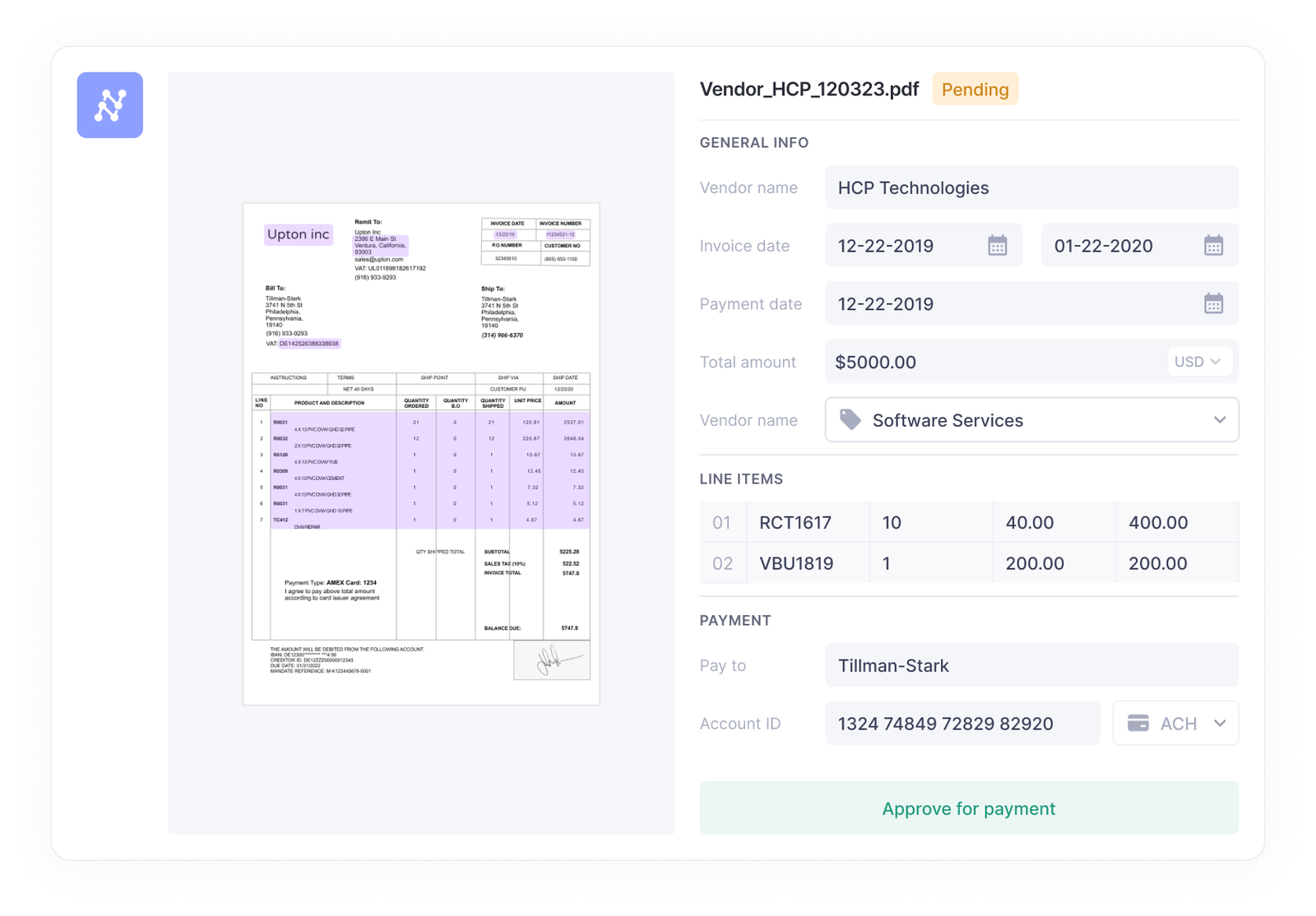
Pick Nanonets if your invoice volume is growing and you want to pay per document rather than per seat.
Rossum
Rossum is superb software aimed at the wrong customer for this list. Its Aurora document AI reads transactional documents in 276 languages, handles handwriting, and flags duplicates. Its homepage shows Adyen at 93.4% after 20 documents and the Port of Rotterdam at 90% after 10 — real numbers, below the marketed 98%. The problem is the price: $18,000 a year minimum, one-year contract. It may pay for itself at thousands of invoices a month; for a small business it is $1,500 a month before a single invoice.

Pick Rossum if you are a scale-up with real accounts-payable volume and a finance team to run it. Otherwise, skip it.
Docsumo
Docsumo reads more than 250 document types — invoices, bank statements, pay stubs, tax forms, insurance forms — and needs no training data or templates to start. The trial is generous: 14 days, 1,000 pages, 10 users, API and webhooks. The problem is the price, or rather the absence of one: Business and Enterprise plans are custom quotes based on volume, with setup fees charged separately by document complexity. Third-party listings put the entry point around $500 a month, unverified from Docsumo’s own pages — take it as a rough guide only.
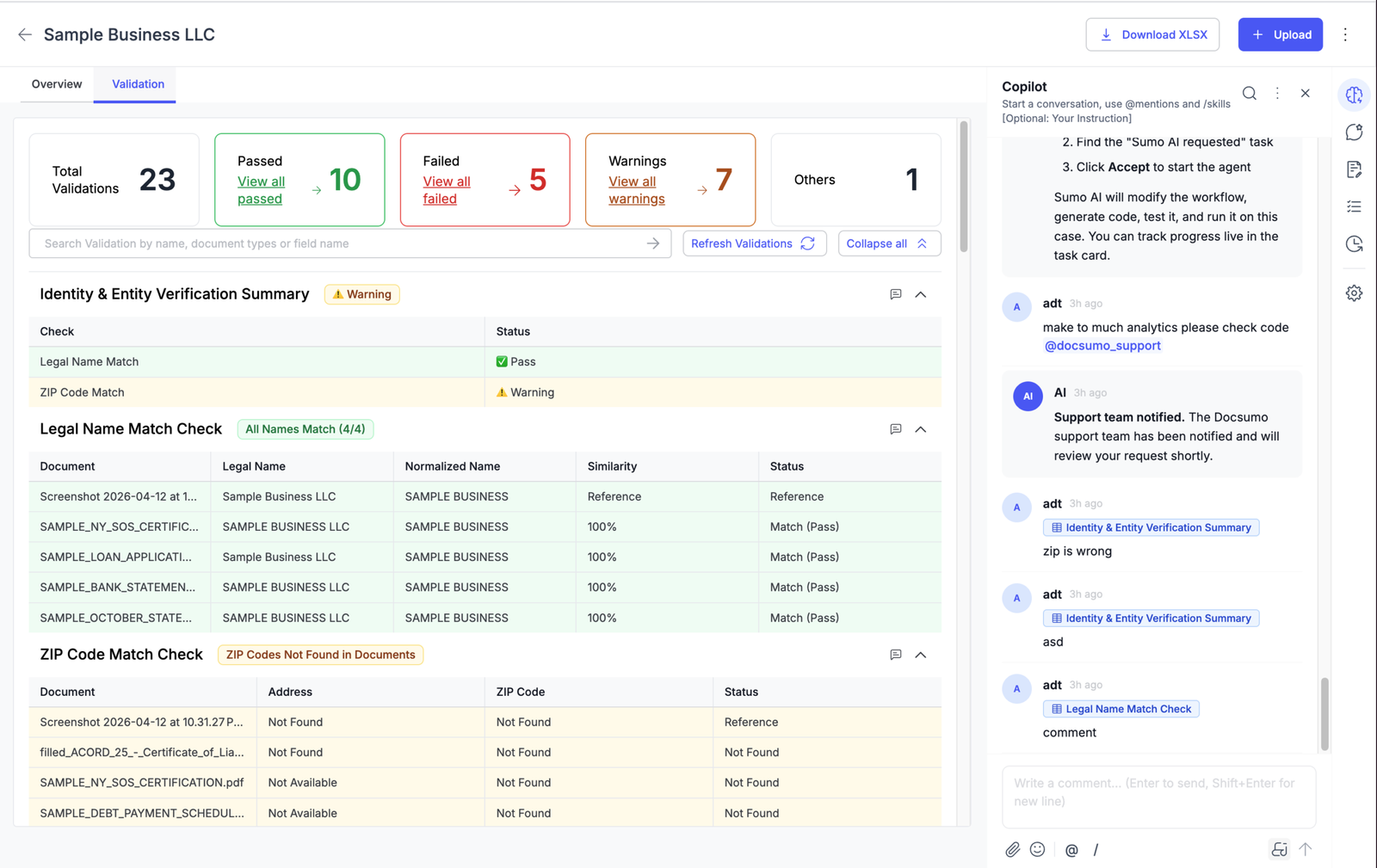
Pick Docsumo if your documents are financial — bank statements, pay stubs, loan files — and you are willing to get a quote in writing first.
Veryfi
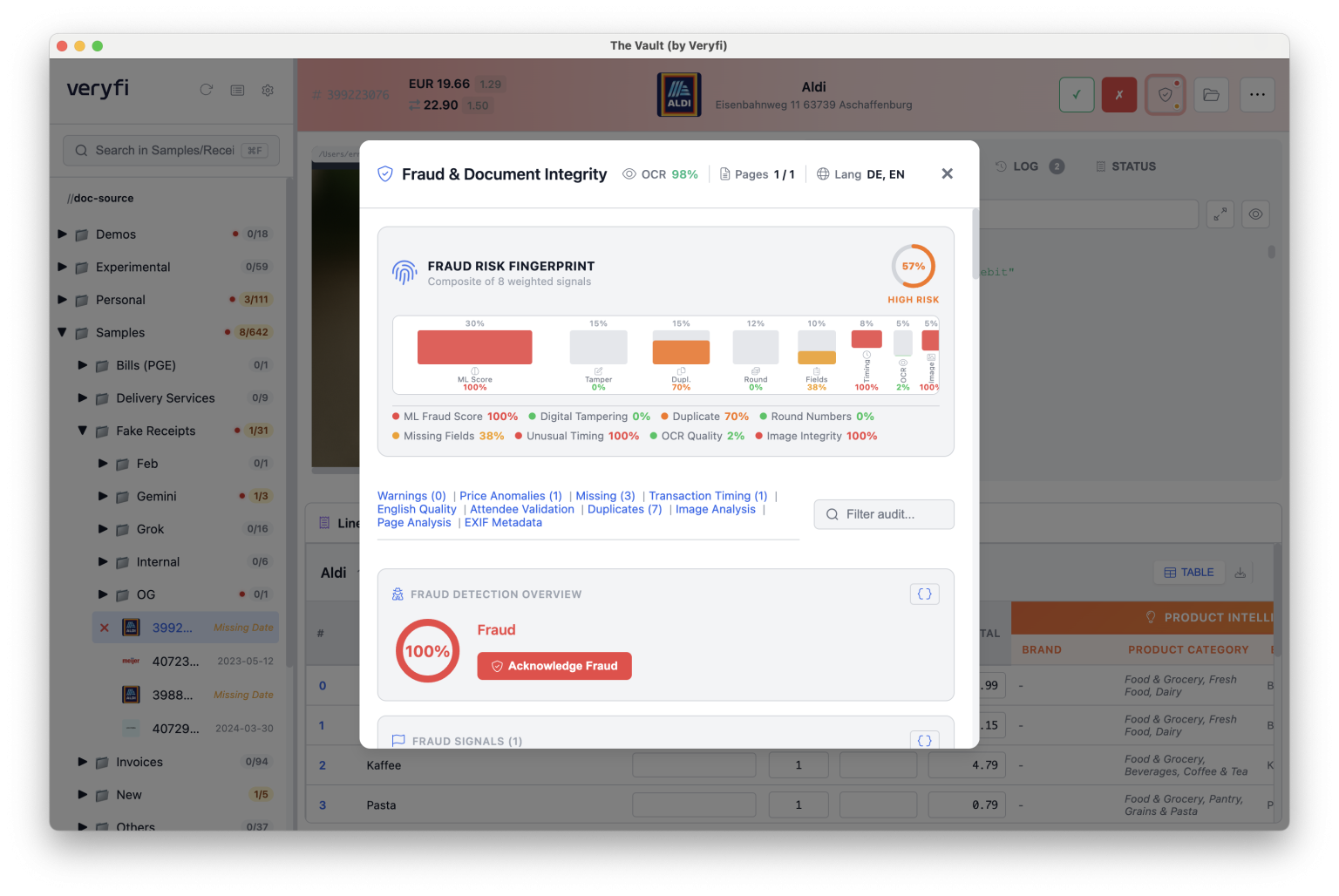
Veryfi is the developer’s choice that happens to have the best free tier in this list. One hundred documents a month free, forever, across all document types, with the API and SDKs included. It reads receipts, invoices, checks, bank statements, and W-2s and W-9s, pulls 150-plus fields including line items, and checks every document for fraud by reading the layers inside a PDF or photo. The catch: the Starter plan starts at $500 a month, and the product is built for developers.
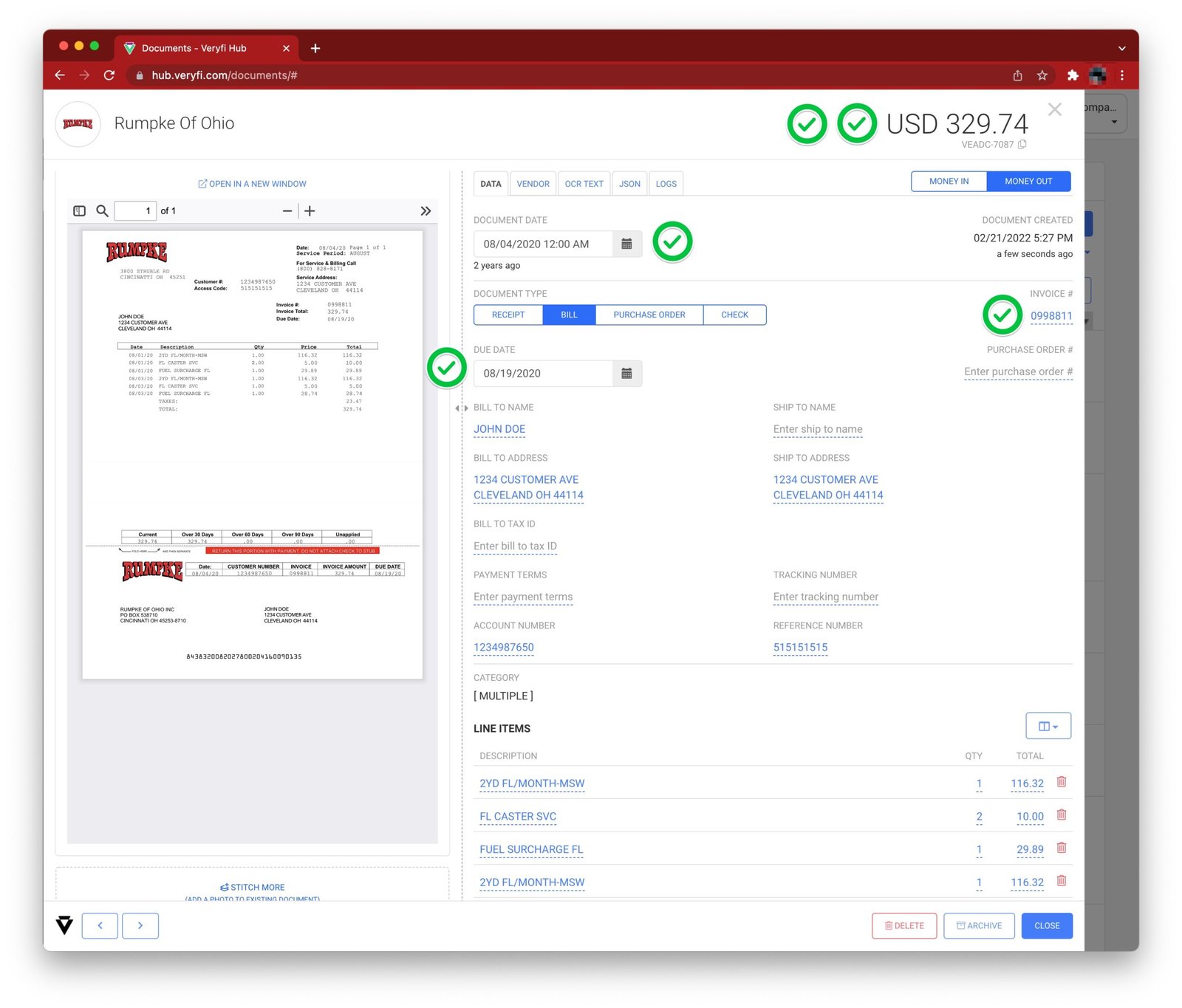
Pick Veryfi if you want the best free tier going, or if fraud detection on expenses matters to you.
Dext
Dext is the accountant’s favourite, and it shows. Photograph a receipt, forward an invoice by email, or let it auto-fetch from suppliers, and it publishes the data straight into QuickBooks, Xero, Sage, or Zoho. The 14-day trial needs no card. At $25.21 a month billed annually for 250 documents and 5 users, it is the cheapest paid route in this comparison at both 50 and 200 invoices. It is also the most boring tool here, and I mean that as praise: it does one job well.

Pick Dext if you run QuickBooks or Xero and your documents are receipts and invoices. For most readers of this article, that is the answer.
Parseur
Parseur is the simplest tool here to set up. Give it a mailbox address — say, invoices@example.com — suppliers send PDFs there, and it pulls the fields you describe into a spreadsheet, Google Sheets, or your accounting app. It handles emails, PDFs, scans, and images, and exports to Sheets, Excel, CSV, JSON, Zapier, Make, and webhooks. The free tier covers 20 pages a month forever. Paid tiers: Micro $49 a month ($39 billed yearly) for 100 pages, Mini $89 ($69 yearly) for 300, Starter $129 ($99 yearly) for 1,000.
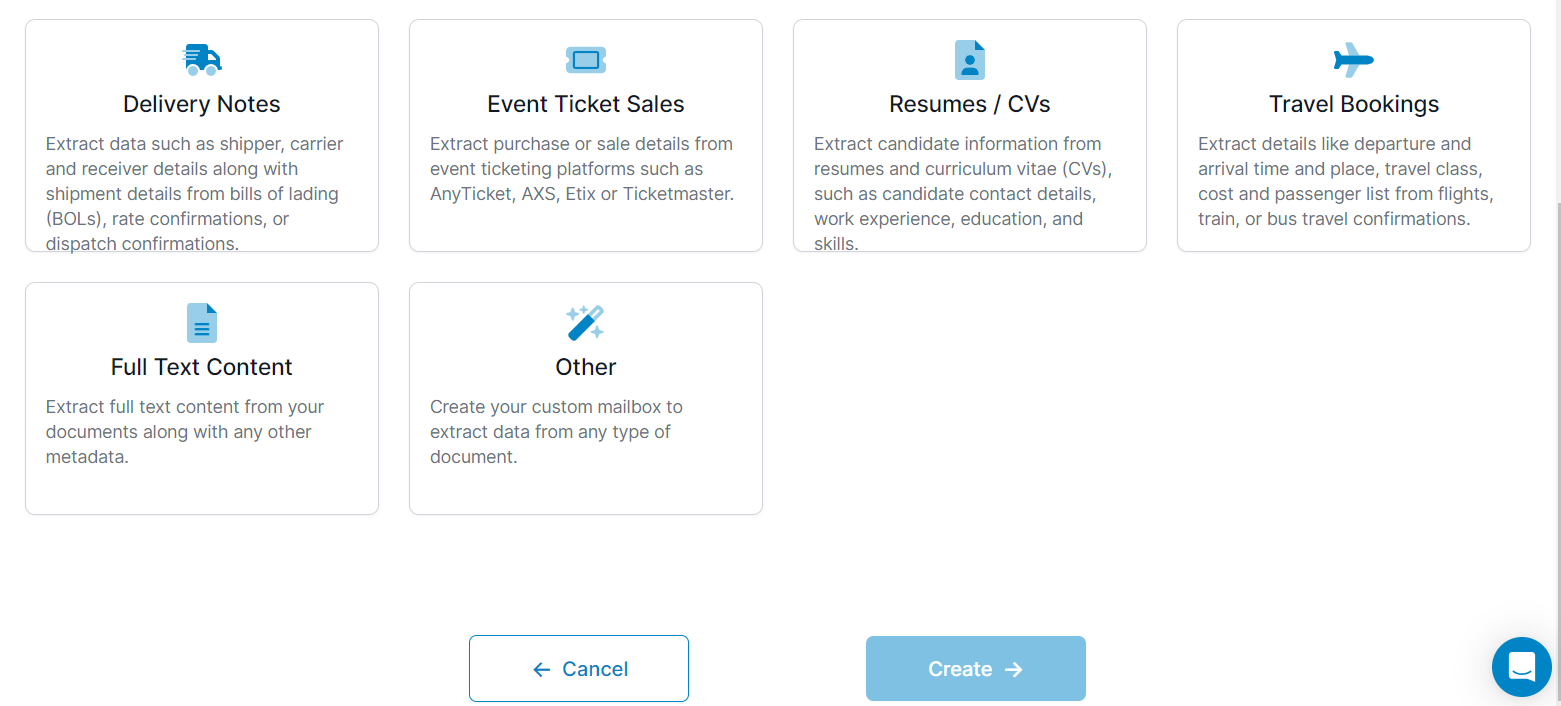
Pick Parseur if your invoices arrive by email and you want the data in a spreadsheet without touching code.
Zapier
Zapier is not a document reader, and that is the whole point of including it. It connects more than 9,000 apps, and its AI steps can pull fields out of an email or a form and push them into QuickBooks or Sheets. But for scanned PDFs, Zapier needs an OCR or extraction step bolted on, such as Parseur, Veryfi, or an AI step. Setup takes an afternoon. Free covers 100 tasks a month; Professional starts at $19.99 a month billed yearly for 750 tasks.
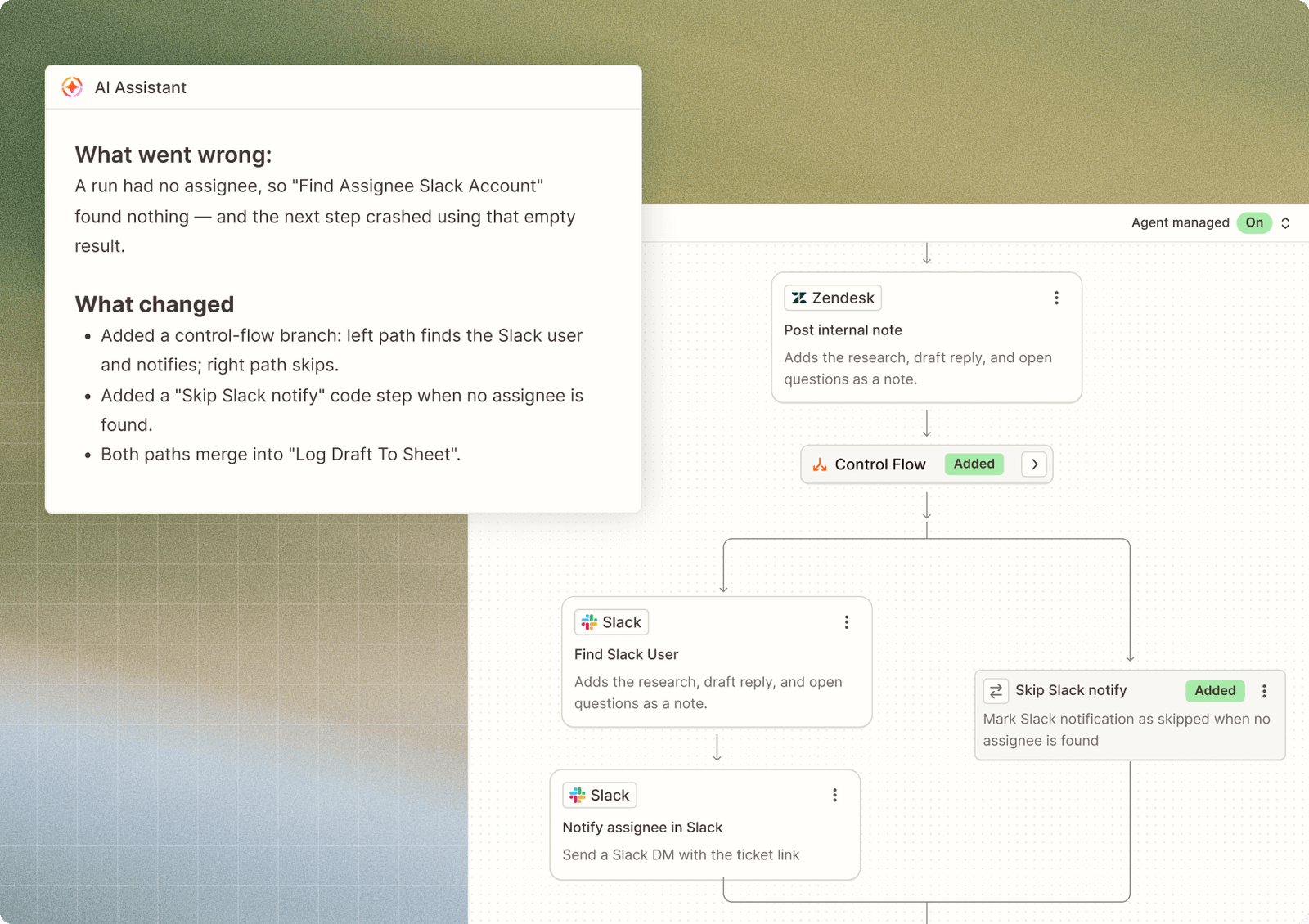
Pick Zapier if your documents are already digital and you already live in Zapier. Do not pick it to read paper.
Dedicated vs DIY: which side wins?
| Dedicated document AI | DIY with Zapier | |
|---|---|---|
| Reads scanned PDFs and photos | Yes | No — needs an extraction step |
| Setup time | Minutes to an hour | An afternoon |
| Cost at 50 invoices a month | $0–$100 | $19.99 |
| Best for | Invoices, receipts, statements | Forms, structured emails, app-to-app |
| Who it suits | Owners who want it done | Owners who like building flows |
Dedicated wins for paper; DIY wins once the data is already digital. The smartest setup is often both: a dedicated reader for the paper, Zapier to move the clean data on. That is the same pattern we found testing AI workflow automation tools for small business — reading the document and moving the data are two different jobs. If your admin headache is appointments rather than invoices, we put AI appointment scheduling tools through the same treatment.
Your invoices are sensitive. Who can you trust with them?
You are uploading your suppliers, your prices, and your bank details — here is what each vendor says, verified from their own pages on 15 November 2026.
| Tool | Certifications | Your data used to train their models? |
|---|---|---|
| Nanonets | ISO 27001, SOC 2 Type II | No — Google data never trains general models; your own model stays in your tenant |
| Rossum | ISO 27001, SOC 2, HIPAA | No — in-house models, no third-party model data leaks |
| Docsumo | SOC 2 Type 2, HIPAA, GDPR | Corrections improve accuracy inside your own account |
| Veryfi | SOC 2 Type II, HIPAA, GDPR, CCPA | No — deterministic in-house models; signs BAAs |
| Dext | ISO 27001, GDPR | No — data stored in the EU, “we never sell your data” |
| Parseur | SOC 2 Type II, GDPR, CCPA | No — “never reused to train our AI models and is never sold” |
| Zapier | SOC 2 Type II/III, GDPR, CCPA | Enterprise auto-opted out; others opt out via form |
Every vendor here now says some version of “we do not train on your data”. Zapier is the exception: it cannot sign a Business Associate Agreement, so do not send it health information, and on non-Enterprise plans you must actively opt out of model training.
FAQ
How accurate is AI data entry, really?
Vendors claim 98–99.9%, measured on clean documents in their own tests. On your real invoices, expect lower. Measure it yourself on 20 of your own documents during the free trial.
What’s the cheapest way to automate data entry?
Veryfi’s free tier covers 100 documents a month at $0. Past that, Dext at $25.21 a month is the cheapest paid route for receipts and invoices, and Parseur at $39 a month billed yearly is the cheapest for email invoices.
Does AI data entry work with QuickBooks and Xero?
Yes — Dext, Docsumo, and Veryfi connect to both natively, and Parseur and Zapier reach them through integrations. Check that the fields you need (line items, tax codes, supplier matching) sync, not just the total.
Is my financial data used to train AI models?
Every vendor here says no, in some form — but read the fine print. On Zapier, Enterprise customers are opted out automatically; everyone else must opt out via a form. If that matters to you, pick a tool where the answer is no by default.
The final verdict
If you run QuickBooks or Xero and your paperwork is receipts and invoices, buy Dext: $25.21 a month, under an hour to set up. If your invoices arrive by email, try Parseur’s free tier first — 20 pages a month costs nothing. If you want to spend nothing, Veryfi’s free 100 documents a month is the best free start here, with fraud detection thrown in.
Past a few hundred invoices a month, Nanonets’ pay-per-document pricing is the fairest deal here. If your documents are financial — bank statements, pay stubs, loan files — trial Docsumo and get the quote in writing first. Skip Rossum unless you are a scale-up with a finance team and thousands of invoices a month. Use Zapier for moving clean data between apps — not for reading paper.
We are the ToolsBizAI Team.
Enjoying ToolsBizAI guides?
Add us as a Preferred Source on Google — you'll see our latest tools and guides first in Search, Top Stories, and AI Overviews.
Get One Useful AI Tool Tip Every Week
One practical AI tool tip in your inbox every week. No spam, unsubscribe anytime.

We’re the team behind ToolsBizAI. We hands-on test AI tools for small businesses — signing up for free plans, taking real screenshots, and fact-checking every claim before publishing. Our guides cover marketing, customer support, and day-to-day operations.