
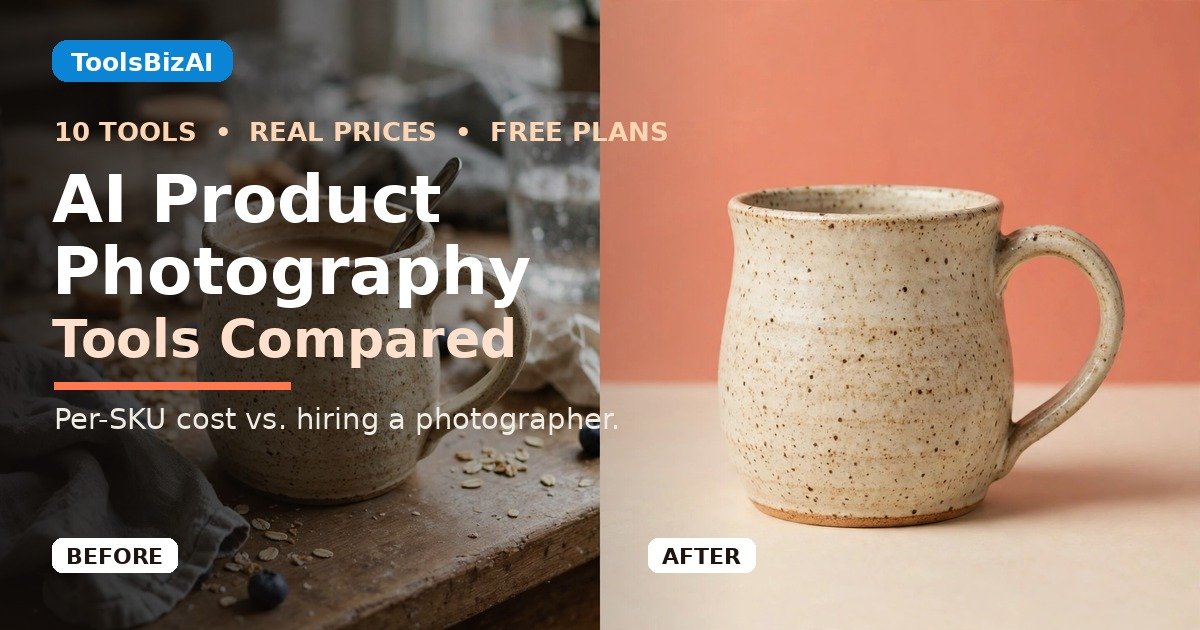
The best AI product photography tools for small business turn a phone photo into a listing-ready image for roughly $0.25 to $1.30 per product, against $25 to $75 per image from a photographer. Photoroom is the best all-rounder, Claid.ai wins when the product must stay pixel-perfect, and Pixelcut is the cheapest way to start. Two tools in older roundups are dead or dying: Booth.ai (2025) and remove.bg (December 1, 2026).
Black Friday is a week away — if your holiday listings still have flat, grey phone photos, this is the week to fix them. In this guide: all 10 tools on real November 2026 prices, free-tier catches, per-SKU cost math, picks by product type, and a $0 workflow.
TL;DR
- Best all-rounder: Photoroom Pro, $7.50/month billed yearly — backgrounds, staging, fashion models, batch editing, phone app.
- Best for accuracy: Claid.ai, $9/month billed yearly — Precise mode keeps your product as photographed.
- Cheapest real start: Pixelcut Pro, $8/month billed yearly, with a useful free plan.
- Best for Shopify: Plinth, $14.99/month — restages photos already in your catalog.
- The catch: AI redraws your product. In Photoroom’s own 850-product benchmark, the best models kept the product fully correct only ~28–29% of the time.
How we tested (honestly): we read every tool’s official pricing page on November 20, 2026. No card-walled trials, no product shot through all 10 tools — so this guide says “compared,” not “tested.” Unverified claims are flagged.

Which AI product photography tool is cheapest?
Compare on the cheapest paid plan, monthly billing — annual billing is cheaper everywhere.
| Tool | Best for | Starts at | Free start |
|---|---|---|---|
| Photoroom | Most sellers | $12.99/mo | Free plan (personal use only) |
| Pebblely | Fast themed backgrounds | $9/mo | None |
| Claid.ai | Accuracy + scale | $15/mo | 50-credit trial |
| Pixelcut | Cheapest real start | $10/mo | Free plan, no watermark |
| Flair.ai | Styled scenes, jewelry & beauty | $8/mo | 5 free images |
| Let’s Enhance | Fixing blurry supplier photos | $12/mo | 10 credits at signup |
| Fotor | Budget all-in-one editor | $8.99/mo | Free plan, watermarked |
| Adobe Firefly | Photoshop users, commercial safety | $9.99/mo | Limited free daily generations |
| soona | Real photos, not AI | $39/photo | None |
| Plinth | Shopify stores | $14.99/mo | 3 free scene credits |
What do the free plans actually give you?
“Free” usually means watermarked, personal-use-only, or too small to matter.
| Tool | Free allowance | Watermark? | Commercial use? |
|---|---|---|---|
| Photoroom | Free plan; export limit disputed (100 or 250/mo) | Yes, after the free limit | No — personal use only |
| Pixelcut | Limited background removal + upscale | No | Yes |
| Claid.ai | 50-credit trial (one-time) | No | Yes |
| Flair.ai | 5 images, 1 custom model | Not stated | Not stated — license only on Pro+ and Scale |
| Let’s Enhance | 10 credits at signup (one-time) | Yes | Not stated |
| Fotor | 1 AI enhancement/day | Yes | Yes |
| Adobe Firefly | Limited free daily generations | No | Yes |
| Pebblely | None | — | — |
| Plinth | 3 AI scene credits | Not stated | Yes |
| soona | None | — | Yes |

How much does AI product photography cost per product?
Assume four finished images per product — a hero shot plus three angles — and price the cheapest monthly plan that covers them.
| Catalog | Cheapest AI route | Per product | Hiring a photographer* | soona (real shoot) |
|---|---|---|---|---|
| 10 products | Pixelcut Pro $8/mo | ~$0.80 | $1,000–$3,000 | $1,709 |
| 50 products | Claid.ai Essentials $15/mo | ~$0.30 | $5,000–$15,000 | $7,949 |
| 200 products | Claid.ai Pro $49/mo | ~$0.25 | $20,000–$60,000 | $31,349 |
The gap is enormous — cents per product against tens of dollars — and AI pricing is flat: the same $15–$49 a month covers 50 products or 200. But the photographer isn’t the enemy: for your hero product, a real shoot still earns its keep — which is why soona, a real remote studio at $39 a photo, is in this list.
*Photographer column uses $25–$75 per white-background image (Shopify’s January 2026 pricing guide); volume discounts pull the 200-product figure to ~$12–$20 per image.
1. Photoroom — best all-rounder
The one I’d hand to a seller who needs 200 clean images by Friday. Phone-first: shoot, cut out, stage and export without touching a laptop. Background removal, AI backgrounds, product staging, AI fashion models, virtual try-on, ghost mannequin, batch editing. Price: Pro is $12.99 a month, or $7.50 billed yearly, with 8,000 AI credits and 1,000 exports a month. Worth it? Yes for most sellers. Watch the credits — AI backgrounds draw from the pool, plain cutouts don’t.
2. Pebblely — fastest themed backgrounds, no free trial
Upload a photo, pick one of 40-plus themes or type your own prompt; it generates the scene with matched lighting and shadows. Price: Lite is $9 a month for 30 images; Basic is $19 ($15 billed yearly) for 200; Pro is $39 ($32 yearly) for 500. Worth it? Yes, if you want speed over control — and if you’re fine paying $9 to find out whether you like it, because there is no free trial.

3. Claid.ai — best when the product must stay exactly as photographed
For sellers burned by AI changing their product — the wrong shade, a missing clasp, garbled packaging text. Its Precise mode keeps your product as photographed and changes only the scene around it. Price: Essentials is $15 a month, or $9 billed yearly, for 500 credits. Pro is $49 ($35 yearly) for 2,000 credits. A Photoshoot costs 4 credits, so Essentials buys about 125 a month. Worth it? Yes — my pick for jewelry and fine detail, and the best value at 200 products.
4. Pixelcut — the cheapest real start
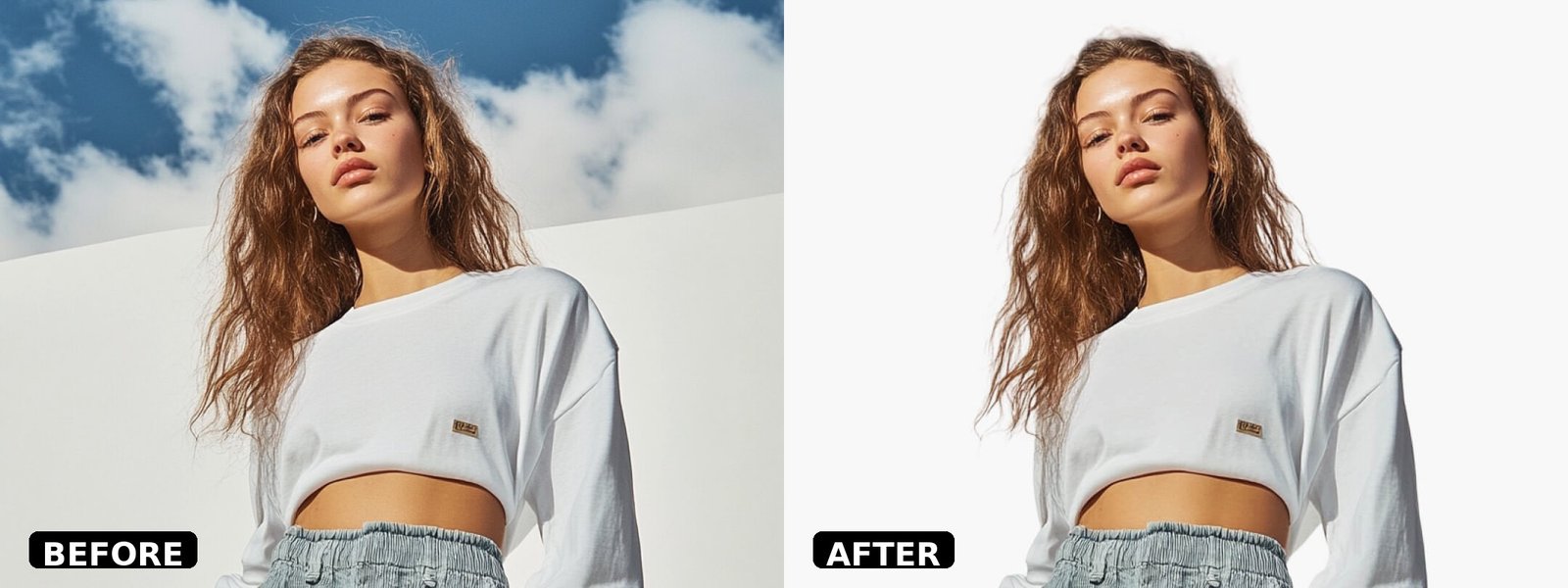
The budget pick that doesn’t feel like a compromise: the free plan actually works — limited background removal and upscaling, exports with no watermark — and the paid plan is $8 a month billed yearly. Price: Pro is $10 a month, or $8 billed yearly, with 600 AI credits; Business is $30 ($24 yearly) with 3,600. Worth it? Yes, especially from zero budget. The before-and-after below is Pixelcut’s own demo.
5. Flair.ai — best for styled scenes, jewelry and beauty
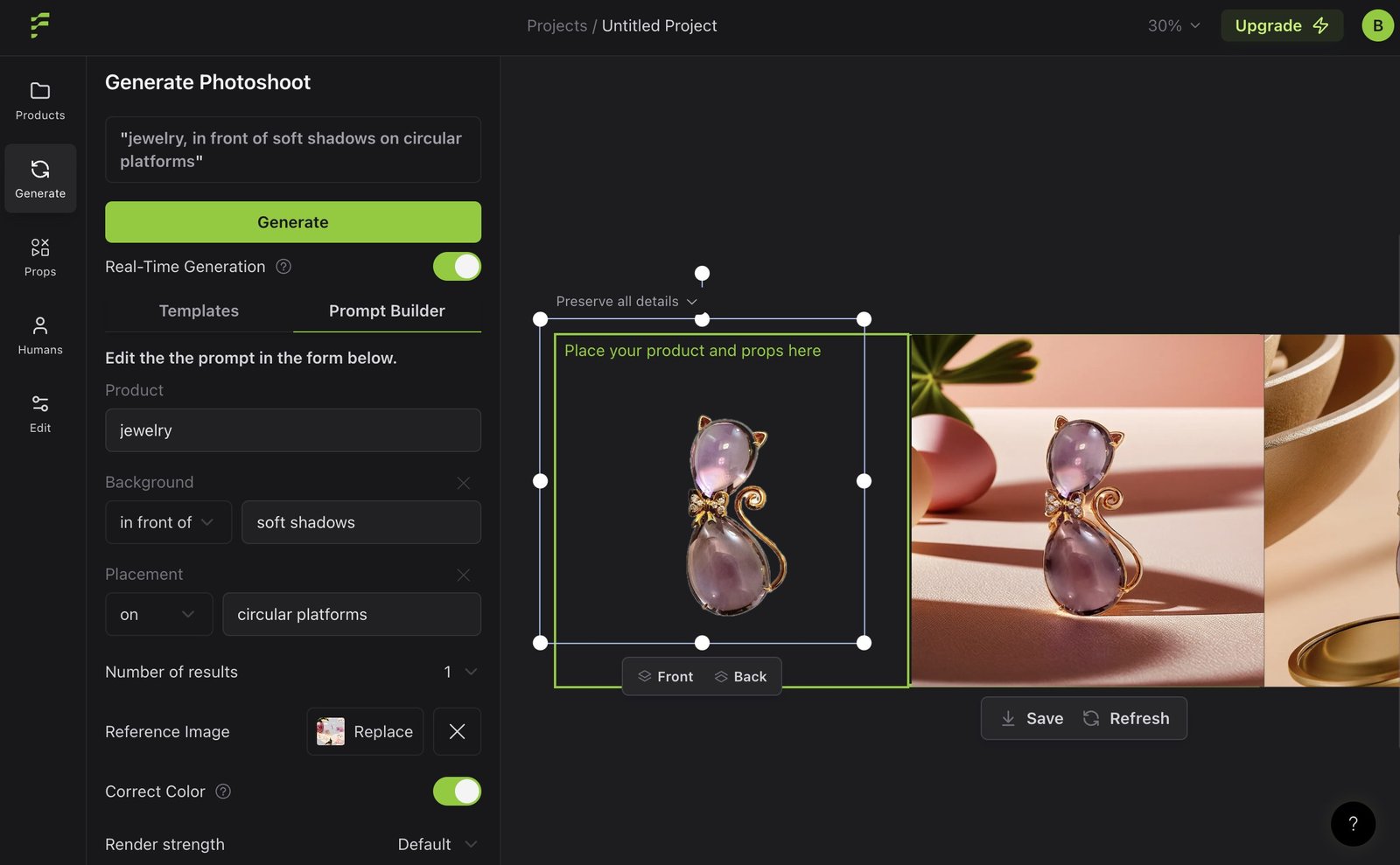
The designer’s tool. Instead of picking a theme, you build the scene on a canvas: drag your product in, add props, place it on a model, adjust the lighting. Slower than Pebblely, more controllable — the trade-off a jewelry or cosmetics seller wants. Price: Free gives 5 generated images, 1 custom model, 1 video. Pro is $8 a month; Pro+ $26 for 80 images; Scale $38 for 150. Worth it? Yes for jewelry and cosmetics. The editor below is Flair’s real interface — a pendant staged with a prompt.
6. Let’s Enhance — best for fixing blurry supplier photos
One job, done well: it takes a low-resolution or slightly soft photo and makes it sharp and large enough to use — what you need when a supplier sends an 800-pixel image and your store needs 2,000. One image costs one credit, whatever the scale factor. Price: Starter is $12 a month, or $9 billed yearly, for 100 credits; Pro $32 ($24 yearly) for 300; Max $45 ($34 yearly) for 500. Free start: 10 credits at signup, watermarked. Worth it? Yes, as a second tool, not your only one.
7. Fotor — the budget all-in-one editor
A full photo editor with AI tools bolted on. If you also edit lifestyle shots and make social graphics, that breadth is the appeal. Price: Pro is $8.99 a month, or $3.33 billed yearly, with 100 AI credits a month; Pro+ $19.99 ($5.24 yearly) with 300; Max $39.99 ($11.19 yearly) with 1,000. The free plan gives one AI enhancement a day, watermarked exports. Worth it? Yes, if you want one cheap subscription covering editing as well as product shots. The 7-day trial converts automatically.
8. Adobe Firefly — best for Photoshop users who need commercial safety
The safe pair of hands: Adobe trains its models on licensed and public-domain content, so the commercial-use question is answered in writing. It’s a creative suite, not a one-click product tool — you build the scene yourself, which costs you time. Price: Standard is $9.99 a month with 2,000 generative credits; Pro is $19.99 with 4,000, adding Photoshop on web and mobile plus Adobe Express Premium. Worth it? Yes, if you already live in Photoshop. No, as a standalone product-photo tool.
9. soona — when you want a real photo, not an AI one
The odd one out: a real remote photo studio. Ship your products, book models and stylists, and watch the shoot live over video. Price: $39 per photo, plus a $149 Studio Pass per booking. No free tier, no published volume discount. Worth it? For your top 10 products, yes — $39 for a real photo of your bestseller is cheap insurance against the AI-accuracy problem. For 200 products, no: that’s over $31,000, and Claid does the job for $49 a month.
10. Plinth — best for Shopify stores
Plinth lives inside Shopify. Instead of downloading, editing elsewhere and re-uploading, you restage photos already in your catalog and publish straight back to the product. On studio and surface looks, Plinth cuts your product out of your own photo, generates the room, and puts your product back on top — so the product itself is never redrawn. Price: Studio is $14.99 a month for 150 AI credits, about $0.10 per 1024-pixel scene; Scale $39 for 500. The free start is 3 AI scene credits, no card required. Worth it? Yes, if you sell on Shopify. No, if you sell on Etsy or Amazon — Plinth is Shopify-only.

Two tools you should NOT build on
Booth.ai is dead. The service shut down in 2025 and its pricing page now returns a 404. It still shows up in older roundups — don’t sign up or enter payment details.
remove.bg closes on December 1, 2026. The standalone site, accounts, API, desktop app and Photoshop plugin all end that morning; unused credits expire. If remove.bg is in your workflow today, export what you need and move to Canva (its parent company) or to Photoroom or Pixelcut.
Which tool wins for your products?
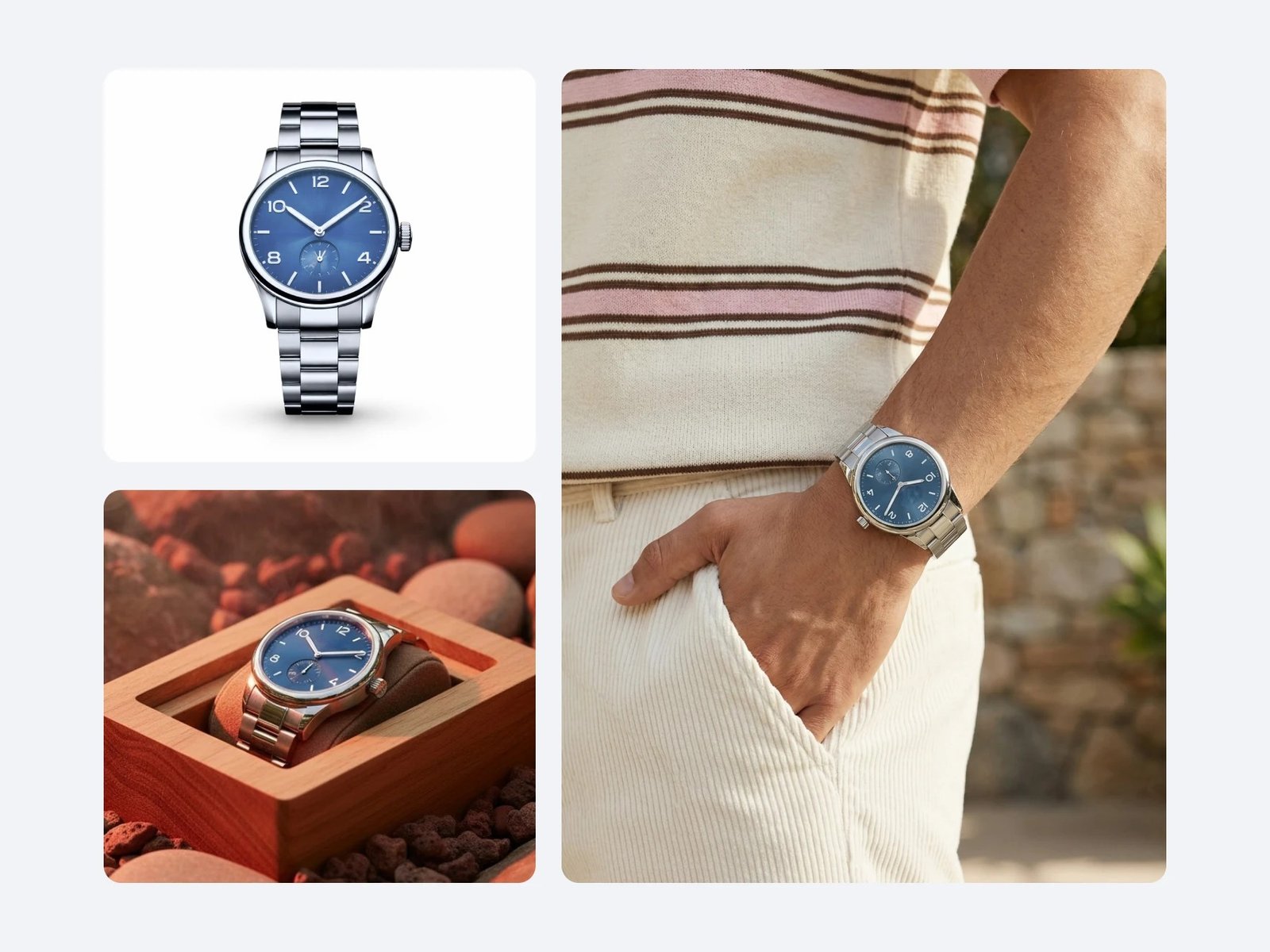
Jewelry — Claid.ai. Stone counts and engraving have to be exact, and Claid’s Precise mode refuses to redraw your product. Apparel — Photoroom. AI fashion models, ghost mannequin, virtual try-on and batch editing. Food — Pebblely. Food is where speed wins: pick a theme, generate, move on. Cosmetics — Flair.ai. Custom models trained on your exact bottle or jar, on-model shots, a dedicated beauty category.
The $0-to-listing workflow (phone photo to Etsy or Shopify)
About 20 minutes for 10 products. Step 1 — Shoot it right (free). White poster board near a window, phone on a stack of books, no flash. Five shots: front, angle, back, detail, one with your hand for scale. Step 2 — Remove the background (free). Pixelcut’s free plan handles background removal, no watermark on exports. Step 3 — Add a scene (free). Flair’s free plan gives 5 generated images — enough for your hero product. Step 4 — Check it. Look at every image at full size before you publish. If the AI changed anything, re-shoot or regenerate. When the free credits run out, Pixelcut Pro at $8 a month billed yearly is the cheapest next step.
Before you publish: the rules changed in 2026
Amazon (July 2026) wants images showing AI-made people tagged with contains-synthetic-performer metadata. New York’s synthetic-performer law applies to ads since June 2026, fines from $1,000. The EU AI Act’s transparency rules apply from August 2026. Etsy wants one unedited real photo per listing; Zalando requires invisible marking by December 2026. The practical rule: AI scenes are fine, AI people need a label, and every listing keeps one real photo.
Frequently asked questions
What is the best free AI product photography tool?
Pixelcut: limited background removal and upscaling, no watermark. Flair gives 5 free images, Claid a 50-credit trial, Let’s Enhance 10 credits. Photoroom’s free plan is personal-use only; Pebblely has no free tier.
How much does AI product photography cost per product?
About $0.25 to $1.30 per product, assuming four images each. A photographer charges $25 to $75 per image, so 200 products cost $20,000 to $60,000.
Is AI product photography better than hiring a photographer?
For catalog volume, yes — roughly 100 times cheaper per image. For your hero product, a real photographer still wins. Use AI for the catalog, a real shoot for the top 10.
Can I use AI product photos on Etsy and Amazon?
Yes, with conditions. Etsy wants at least one unedited real photo per listing; Amazon requires AI-made people in images to be tagged. Don’t let the AI change what the product looks like.
Will AI product photos hurt my sales?
Bad ones will: 45% of shoppers in Salsify’s 2026 survey had returned an item because the product content was wrong. The photo that sells matches what arrives in the box.
Do I need a professional camera for AI product photography?
No — a modern phone in good window light is enough. Buy a $10 white poster board and a $15 phone tripod before you buy software.
The verdict
Start free with Pixelcut and Flair. When the credits run out, Photoroom Pro at $7.50 a month billed yearly is the default pick — most jobs, on the phone, in batches. Fine detail? Claid.ai. On Shopify? Plinth.
Do it this week: Black Friday is November 27, Small Business Saturday the 28th, Cyber Monday the 30th. Shoppers scroll past a hundred listings an hour — clean, honest, well-lit photos get the click.

Keep reading: our Cluster D pillar guide to the best AI tools for small ecommerce businesses and our AI product description guide cover the words for these pictures. If your catalog is growing, see AI inventory management software and AI demand forecasting tools. More about us is on our About page.
Enjoying ToolsBizAI guides?
Add us as a Preferred Source on Google — you'll see our latest tools and guides first in Search, Top Stories, and AI Overviews.
Get One Useful AI Tool Tip Every Week
One practical AI tool tip in your inbox every week. No spam, unsubscribe anytime.

We’re the team behind ToolsBizAI. We hands-on test AI tools for small businesses — signing up for free plans, taking real screenshots, and fact-checking every claim before publishing. Our guides cover marketing, customer support, and day-to-day operations.