
AI Transcription Tools for Small Business: 7 Tools Compared on Real Prices, Free Plans and Accuracy
AI transcription tools for small business turn your meetings, calls, and voice notes into searchable text with summaries and action items. The short answer: Fathom, tl;dv, and Granola all cover a solo owner free, Notta Pro costs $8.17 a month for 1,800 minutes, Otter Pro costs $8.33 a month for 1,200 minutes, and Rev is the only pick when a transcript has to be word-perfect, with humans at $1.99 a minute.
In this guide: the comparison, the 10-hour cost math, consent, and non-meeting uses.
TL;DR
- Solo owner: Fathom free — unlimited recordings and transcriptions at $0.
- Small team: tl;dv free — unlimited transcription in 100+ languages.
- Clients hate bots: Granola free — nothing joins the meeting.
- Cheapest paid plan: Notta Pro, $8.17 a month annual, 1,800 minutes.
- Best live transcription: Otter Pro, $8.33 a month annual, 1,200 minutes.
- Must be perfect: Rev human transcription, $1.99 a minute.
How we tested
I read the official pricing and help pages of all seven tools on 16 November 2026. What I did NOT do: run paid trials, or run the same meeting through several tools and score the transcripts. No accuracy score here is my own measurement.
One thing that changed this week: on 11 November 2026 ElevenLabs launched ElevenAI, a preview app combining meeting notes with dictation. Free early access by request only — so it is not one of the seven picks below.
What is an AI transcription tool, and how is it different from a meeting notes tool?
A transcription tool turns speech into a written record. A meeting notes tool turns that record into a summary, action items, and follow-ups. Most of the seven tools below do both — our sibling guide to AI meeting notes tools for small business covers the same shortlist from the notes angle. Need the exact words? Buy for transcription quality.
The 7 tools at a glance
| Tool | Best for | Free plan | Paid from (annual) |
|---|---|---|---|
| Fathom | Solo owners | Unlimited recordings + transcriptions | $16/mo Premium |
| tl;dv | Small teams | Unlimited transcription | $18/seat/mo Pro |
| Granola | Sensitive calls | Unlimited notes, 30-day history | $14/user/mo Business |
| Notta | Files + translation | 120 min/mo | $8.17/mo Pro |
| Otter | Live transcription | 300 min/mo | $8.33/user/mo Pro |
| Fireflies | Sales teams | Unlimited transcription* | $10/seat/mo Pro |
| Rev | Perfect transcripts | 45 AI min/mo | $25.49/seat/mo Essentials |
Annual billing, USD, 16 November 2026. *Fireflies free is capped by 400 minutes of team storage.
1. Fathom — the free plan you could run a practice on
Verdict: worth it. Start here if you hold most of your meetings on Zoom, Meet, or Teams.
Fathom’s free plan is the most generous here: unlimited recordings and transcriptions, instant AI summaries and search, for $0, forever. The catch: advanced summaries are limited on free — independent checks put the limit at 5 calls a month. Premium is $16 a month annual ($20 monthly); Team is $15 per user a month annual, adding a shared workspace and CRM sync. Fathom was acquired by Superhuman in September 2026. The gap: no Android app.

Visit Fathom’s homepage and Fathom’s pricing page.
2. tl;dv — the best free plan for a small team
Verdict: worth it. The strongest free tier for teams.
tl;dv’s free plan gives you unlimited recordings and unlimited transcription in 100+ languages — the only free tier here that does not ration minutes. What it rations instead is the AI layer: 10 meetings a month get AI notes. Pro costs $18 per seat a month on annual billing and removes the AI limits; Business, at $29 per seat a month annual, adds multi-meeting insights and custom vocabulary. The trade-off: per-seat pricing means a five-person team pays five times $18. Pick tl;dv when your calls cross languages.

Visit tl;dv’s homepage and tl;dv’s pricing page.
3. Granola — the one with no bot in the call
Verdict: worth it. The right pick for sensitive calls and for anyone whose clients dislike bots.
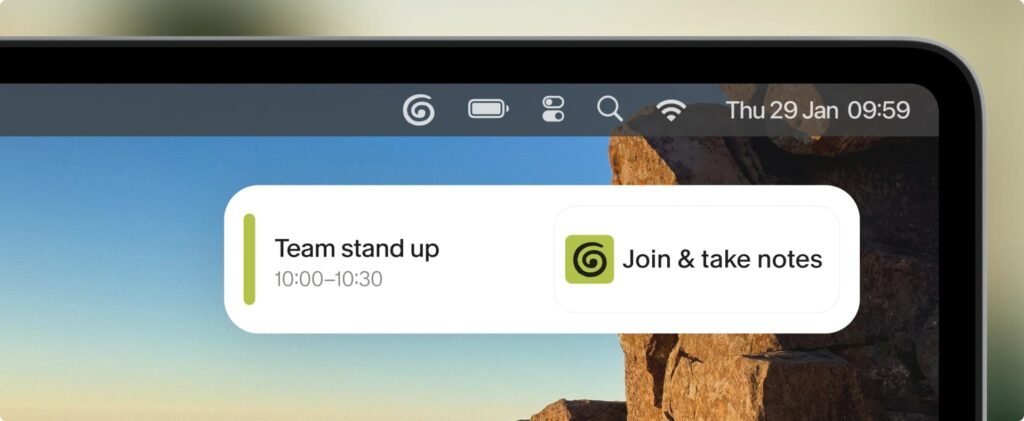
Granola works differently: no bot joins your meeting. It captures audio from your own device and writes notes while you talk. The free Basic plan is unlimited on notes — the limit is history: you can only look back 30 days. Business costs $14 per user a month, billed monthly only, and unlocks unlimited history and integrations. Granola deletes your audio after transcription, but it trains on anonymized data unless you opt out — one click, do it on day one.
Visit Granola’s homepage and Granola’s pricing page.
4. Notta — the cheapest paid plan, and the translation pick
Verdict: worth it. The best value if you transcribe files, not just live meetings.
Notta is the tool for the owner whose audio does not always arrive as a meeting. It records Zoom, Meet, and Teams calls, and transcribes uploaded audio and video files. The free plan is small: 120 minutes a month, 3 minutes per conversation, 10 AI summaries a month — a trial, not a workflow. Pro costs $8.17 a month on annual billing ($97.99 a year) and jumps you to 1,800 minutes a month and 100 file uploads. Business costs $16.67 a month annual, no minute cap. Translation add-ons run $6 to $9 a month on top. Notta is SOC 2 Type II certified and supports 50+ languages.

Visit Notta’s homepage and Notta’s pricing page.
5. Otter — the best live transcription, with one privacy caveat
Verdict: worth it — but read the privacy note below before you put client calls through it.
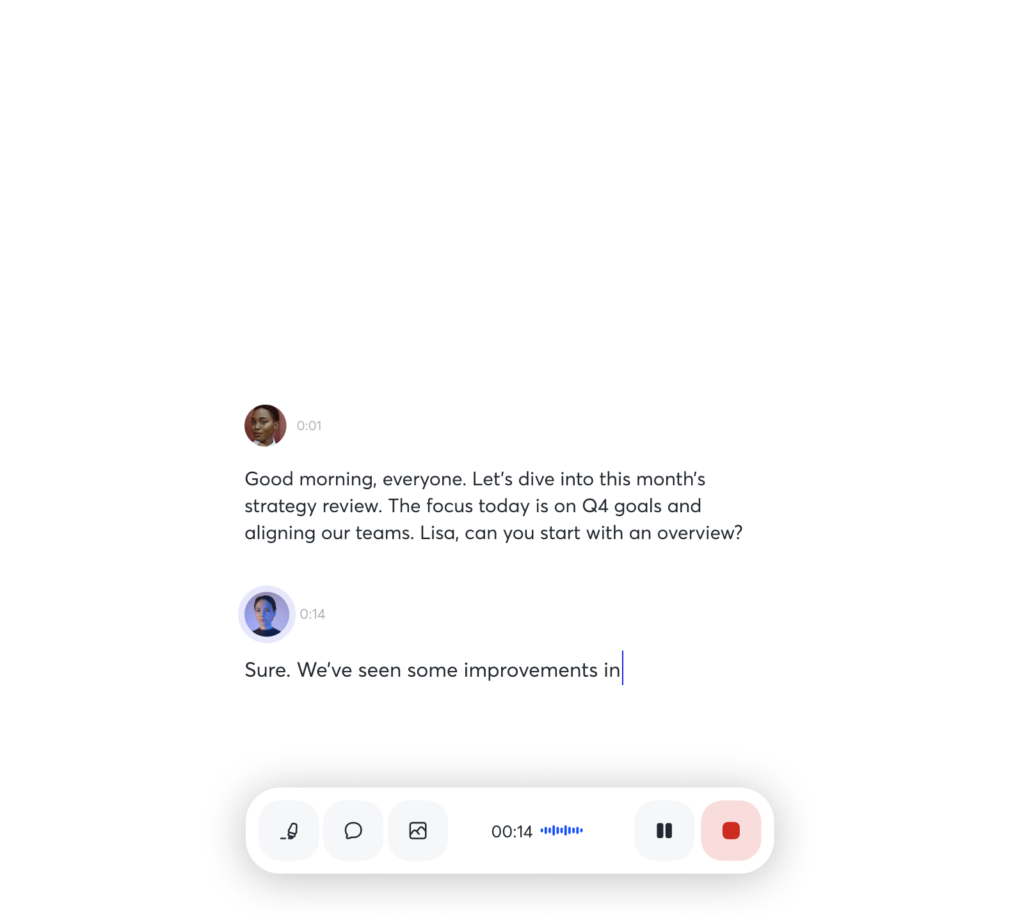
Otter is the veteran: watch the words appear live while people talk. The free Basic plan gives you 300 minutes a month, but every conversation is cut off at 30 minutes. Pro is $8.33 a month on annual billing ($16.99 monthly), for 1,200 minutes a month and 90-minute meetings. Now the caveat: Otter’s privacy policy (effective June 2026) allows training its AI on de-identified recordings, and Otter faces a pending privacy class action in California — in August 2026 a federal judge let the wiretap claims go forward. No court has ruled that Otter broke the law. Check Otter’s settings for the training opt-out. It only supports 6 languages, the narrowest list here.
Visit Otter’s homepage and Otter’s pricing page.
6. Fireflies — the sales team’s transcription tool
Verdict: worth it for sales-led teams.
Fireflies is the tool for meetings that feed a pipeline. It joins Zoom, Meet, and Teams, transcribes in 100+ languages, and pushes summaries into Salesforce and HubSpot. Its AskFred assistant drafts the follow-up email. The free plan advertises unlimited transcription, which is true — but the real limit is storage: 400 minutes per team. A team holding 10 hours of calls a month fills that in under a month. Pro is $10 per seat a month on annual billing, raising storage to 8,000 minutes per seat. Business is $19 per seat a month annual, for unlimited storage. On privacy, Fireflies says it does not train AI models on your meeting data.

Visit Fireflies’ homepage and Fireflies’ pricing page.
7. Rev — the only pick when the transcript has to be perfect
Verdict: worth it only for high-stakes files.
Rev is the odd one out: everything above is AI, and Rev lets you escalate any single file to an actual human — 99%+ accuracy guaranteed, back in 12 hours or less. Contracts, depositions, client interviews — that is the Rev job. It also sells AI transcription at $0.25 a minute pay as you go, and subscriptions: Essentials at $25.49 per seat a month annual, Pro at $47.99. The free plan covers 45 AI minutes a month. At $0.25 a minute, 10 hours costs $150 pay as you go — Essentials at $25.49 is far cheaper. Human transcription at $1.99 a minute makes 10 hours cost $1,194 — use it for the files where a wrong word costs real money.

Visit Rev’s homepage and Rev’s pricing page.
What does 10 hours of meetings a month actually cost?
Ten hours is 600 minutes; prices are annual billing, USD.
| Tool | Solo, 600 min/mo | 3-person team, 600 min/mo |
|---|---|---|
| Fathom | $0 | $0 / $45 Team |
| tl;dv | $0 | $0 / $54 Pro |
| Granola | $0 | $0 / $42 Business |
| Fireflies | $0* | $30 Pro |
| Notta | $8.17 Pro | $50.01 Business |
| Otter | $8.33 Pro | $24.99 Pro / $59.97 Business |
| Rev Essentials | $25.49 | $76.47 |
| Rev AI pay as you go | $150.00 | $150.00 |
| Rev human | $1,194.00 | $1,194.00 |
If your meetings fit in 10 hours a month, you should be paying $0. The first paid dollar worth spending is Notta Pro or Otter Pro, around $8.30 a month.
What else can you do with a transcription tool? (It is not just meetings)
Dictate instead of typing. Granola’s voice typing turns spoken words into cleaned-up text inside any app. Voice notes for admin. Record a two-minute voice note after a site visit and let the tool file it as searchable text. Phone calls for service businesses. Rev’s mobile app records calls on the go, and Otter’s mobile app does live transcription in person: the transcript becomes the quote, the brief, or the file note. (Same consent rules as meetings — see below.) Turn one conversation into content. A 30-minute client call holds a blog post and three social posts, once it is text. Our guide to AI workflow automation tools for small business shows how to push transcripts into your task manager and CRM.
How accurate are AI transcripts, really?
Good enough for notes, not for evidence, unless you pay a human. On clear, single-speaker English, the best speech models are now very strong — the independent Artificial Analysis AA-WER benchmark (version 2, 6 October 2026) puts Microsoft’s MAI-Transcribe-2 at a 2.0% word error rate, with ElevenLabs Scribe v2 and Gemini 3.5 Transcribe close behind. That is the models’ number on clean audio. In practice: budget 2 minutes of cleanup per hour of meeting. To lift accuracy for free, use custom vocabulary for names and jargon — and use a $30 headset microphone.
Do I need permission to record a meeting? (And what happens to the recording?)
Tell people, every time, and keep the recording only as long as you need it. This is general information, not legal advice. Consent: every tool here announces itself, but that announcement is not consent. In the US, a dozen or so states (including California, Florida, Illinois, Pennsylvania, and Washington) require every party’s consent to record; most other states need only one party’s consent. In the UK and EU, GDPR needs a lawful basis and a clear notice. Put one line in the meeting invite — “We record calls to send accurate notes.” Retention: set a deletion rule on day one. Granola lets you set retention and auto-deletion on Business. Training: check this setting on every tool — Fireflies does not train on your data; the others train on de-identified data unless you opt out.
Frequently asked questions
What is the best free AI transcription tool for a small business?
Fathom: unlimited recordings and transcriptions at $0 for a solo owner. tl;dv’s free plan is stronger for a team — unlimited transcription in 100+ languages. Granola wins if your clients dislike bots.
Do I need everyone’s permission to record a meeting?
In all-party consent states (California, Florida, Illinois, Pennsylvania, Washington, and others) yes. In one-party states, one party’s consent is enough. Say so in the invite. This is general information, not legal advice.
How accurate are AI transcripts, really?
On clear English, very good — the AA-WER benchmark (October 2026) puts the best speech models near a 2% word error rate. On noisy calls, expect errors on names and numbers.
How long do these tools keep my recordings?
Granola’s free plan shows 30 days of history; tl;dv’s keeps recordings 3 months; Fireflies’ is capped by 400 minutes of team storage. Paid plans keep recordings until you delete them.
Which tool should I pick if I only have a few calls a month?
Start with Fathom free — unlimited recordings at $0. If your calls are in several languages, try tl;dv free. Only pay when you hit a limit; Notta Pro at $8.17 or Otter Pro at $8.33 a month is the cheapest upgrade.
The bottom line
If you hold around 10 hours of meetings a month, you do not need to pay yet — Fathom, tl;dv, or Granola will cover you free. Fathom for simplicity, tl;dv for teams and languages, Granola when no bot can join. When you outgrow free, Notta Pro at $8.17 a month is the cheapest upgrade, Otter Pro at $8.33 is the best live transcription, and Rev’s humans at $1.99 a minute are the only honest answer when a transcript has to be perfect. Tell people you are recording, set a deletion rule, and turn off model training.
Read more about how we work, and see the full comparison in our best AI productivity tools for small business guide.
Prices were read from each vendor’s pricing page on 16 November 2026. Confirm before you buy.
Enjoying ToolsBizAI guides?
Add us as a Preferred Source on Google — you'll see our latest tools and guides first in Search, Top Stories, and AI Overviews.
Get One Useful AI Tool Tip Every Week
One practical AI tool tip in your inbox every week. No spam, unsubscribe anytime.

We’re the team behind ToolsBizAI. We hands-on test AI tools for small businesses — signing up for free plans, taking real screenshots, and fact-checking every claim before publishing. Our guides cover marketing, customer support, and day-to-day operations.