
Your customers already told you what’s wrong with your business — in Google reviews you haven’t read, survey answers nobody opened, and support tickets closed without anyone asking why. AI customer feedback analysis tools for small business read all of that for you — reviews, surveys, tickets, social comments — and turn it into a short list of what to fix first. I read every pricing page and product doc for nine tools and graded them on what a small business actually gets for the money.
In this guide you’ll find: nine tools compared on real prices and free-tier limits, a map matching each tool to the feedback source it handles best, a $30–$50-a-month DIY pipeline, and an FAQ.
TL;DR
- Best overall: Survicate. Free plan; real AI analysis from $56/month.
- Best free start: Jotform AI. 100 free submissions a month; lighter analysis.
- Best for Google reviews: Birdeye. Strongest review tool; ~$299/location/month, quote-only.
- Best for surveys you already send: SurveyMonkey. AI analysis from $39/month on annual Advantage; the $149 monthly plan lacks it.
- Cheapest real analysis: the DIY route. ChatGPT Plus or Claude Pro at $20/month.
- Skip Typeform. Its AI analysis lives only on the $266-a-month Growth Flow plan.
- Skip Zendesk and HubSpot unless you already live in them. Analysis starts at $115/agent and $90/seat a month.
What is AI customer feedback analysis, and why does it matter now?
An AI feedback analysis tool reads customer comments and tells you three things: what people keep talking about (themes), how they feel (sentiment), and which problems are growing fastest (trends). The point is the decision — which complaint to fix first. Twilio’s 2026 Customer Insights Series (9 Nov) found 86% of companies believe customers are satisfied with AI-powered service, while only 51% of consumers agree. Reading your own feedback is how you find out which side you’re on.
How we tested
I opened every tool’s official website and pricing page on November 14, 2026, and verified each price, free-tier limit, and AI feature from the vendor’s own pages. I ran no paid trials or free-plan signups, so nothing here claims a trial that didn’t happen. Where a vendor publishes no price — Birdeye and Zonka — I say so and give the best-dated third-party figure, labelled as an estimate. Prices are US list prices, annual billing unless stated, before tax. The links here are plain links to official pages; we earn no commission from them yet. (Who we are: see our About Us page.)
The 9 tools, one by one
1. Survicate — best overall
Verdict: worth it. The best balance of price, free tier, and genuine analysis in this list.
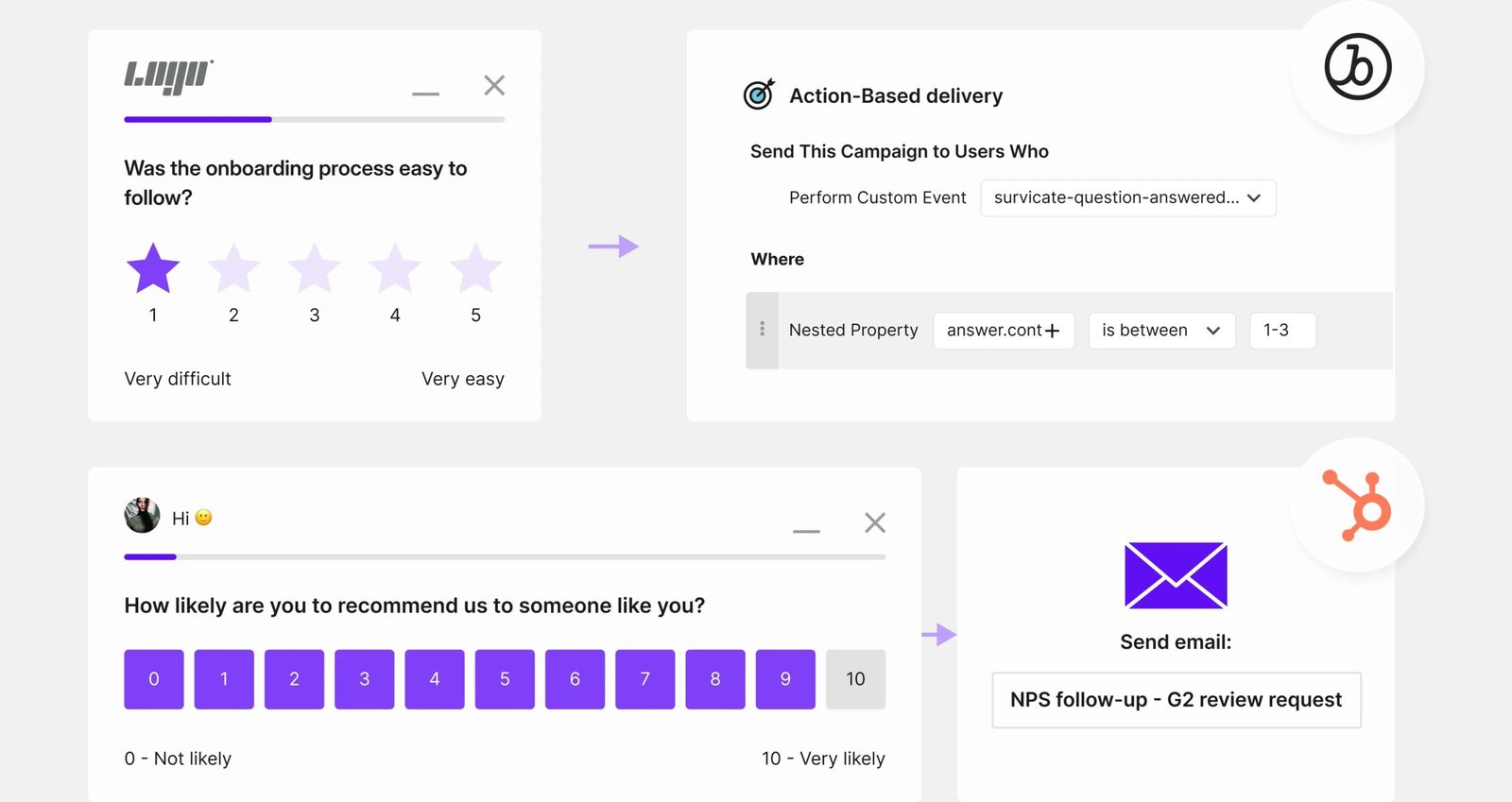
Survicate is a voice-of-customer platform: surveys by email, web, in-app, SMS, WhatsApp, even QR codes, plus a Research Hub. Its AI sorts open-text answers into themes with sentiment attached, and a Research Assistant chat answers questions about your results. The free plan covers 25 responses a month and one active survey. Growth is $56 a month on annual billing with unlimited surveys and AI included; Pro starts at $349. Caution: the free plan’s AI is limited to three Research Assistant chats.
2. Jotform AI — best free start for surveys
Verdict: worth it for collecting feedback; know its limits before you pay for analysis.
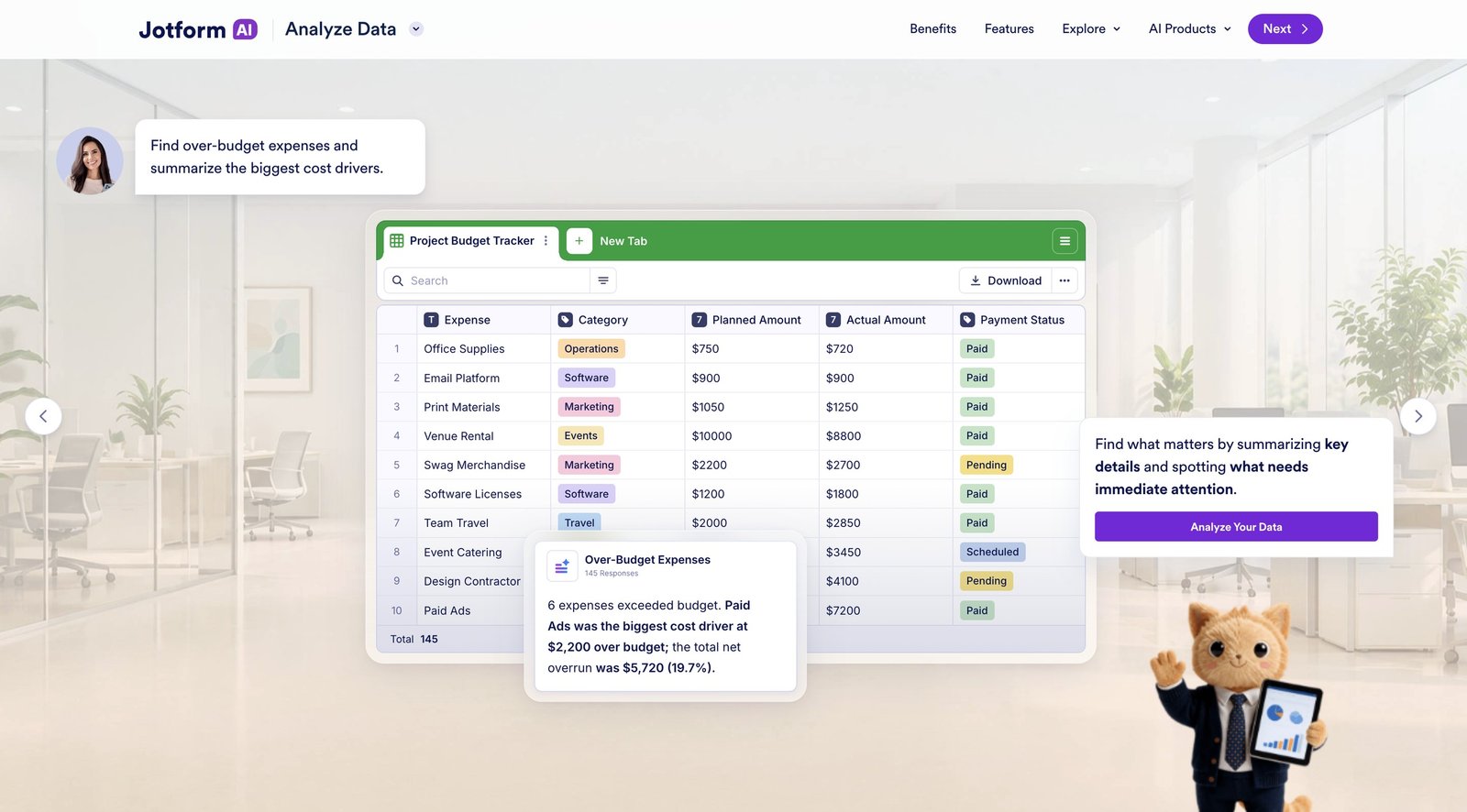
You build a survey in minutes, and Jotform‘s AI Data Assistant reads the responses and summarizes sentiment and trends. The free Starter plan gives you 5 forms and 100 submissions a month — the most generous free collection tier here. Paid plans: Bronze $39, Silver $49, Gold $129 a month; annual billing saves up to ~24%. Jotform’s own blog admits its reporting “lacks advanced qualitative text coding” versus enterprise platforms. Use it to collect and get a quick read.
3. Birdeye — best for Google reviews
Verdict: worth it for multi-location businesses; skip it if you have one shop and a tight budget.
Birdeye is the review specialist. It requests reviews by text and email, monitors 200+ review sites, drafts AI replies in your brand voice, and now offers Myna, an AI front-desk agent. Its pricing page is a lead form — you wait for a sales call. Third-party 2026 breakdowns: ~$299 (Starter), $349 (Growth), $449 (Dominate) per location/month on 12-month contracts, plus $500–$1,500 onboarding. Realistically, one location lands around $400–$600 a month all in. No free plan, no trial.

4. Zendesk — best if tickets ARE your feedback
Verdict: worth it only if you already run support on Zendesk. Don’t buy Zendesk just for this.
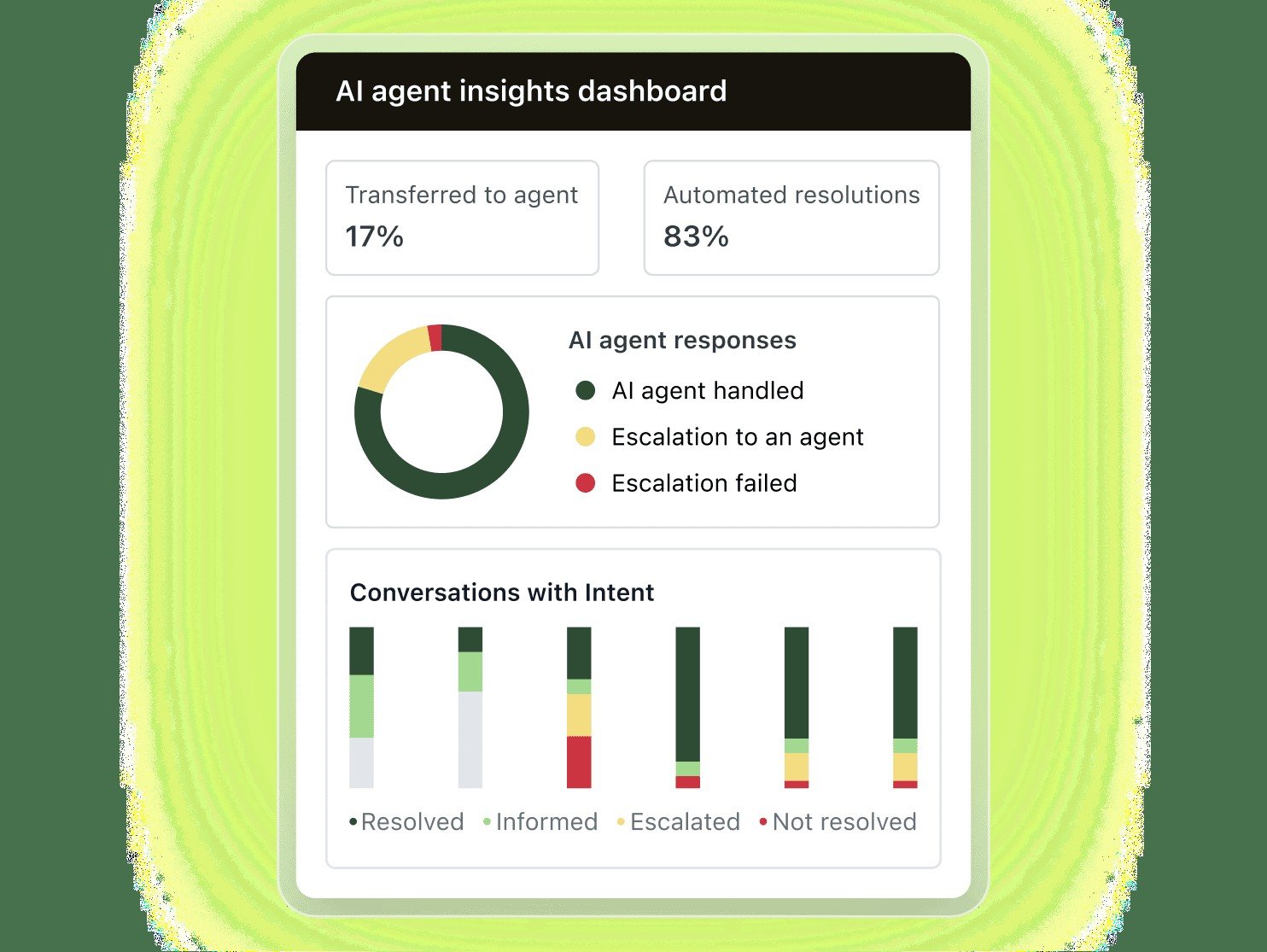
Your support tickets are the richest feedback you already own — customers describing real problems. Intelligent Triage auto-classifies tickets by intent and topic; AI reporting answers plain-language questions about trends. Support Team starts at $19 per agent a month, but it has no AI triage. Analysis starts at Suite Professional, $115/agent/mo annual; Copilot adds $50/agent/mo. Two agents: $230/mo before Copilot. If Zendesk is already your helpdesk, switch on triage (see our AI helpdesk software for small business guide).
5. SurveyMonkey — best for survey-led analysis
Verdict: worth it if your feedback already lives in surveys. Watch the plan trap.
SurveyMonkey‘s “Analyze with AI” groups open-text answers into themes, scores sentiment, and answers plain-language questions about results. The free Basic plan collects surveys but doesn’t analyse them. Advantage, at $39 a month billed annually ($468 a year, 15,000 responses), includes Analyze with AI and Thematic Analysis. But Standard Monthly at $149/mo doesn’t list AI analysis at all.
6. Zonka Feedback — best combined survey + analysis program
Verdict: shortlist it if you run a real feedback program; skip it if you just want a quick answer.
Zonka Feedback pairs survey collection (email, SMS, WhatsApp, web, in-app, QR, kiosk, offline) with AI Feedback Intelligence, which pulls surveys, tickets, chat, and reviews into one dashboard. The AI extracts themes and entities, scores sentiment and emotion, answers questions through Ask AI, and ties themes to NPS and CSAT. The catch is the quote wall: no prices on the page — Feedback Management on responses, AI Feedback Intelligence on data credits. A 14-day trial is advertised, but confirm the AI package is included.
7. HubSpot Service Hub — best if you’re already on HubSpot
Verdict: worth it as an add-on to HubSpot; skip it as a standalone purchase.
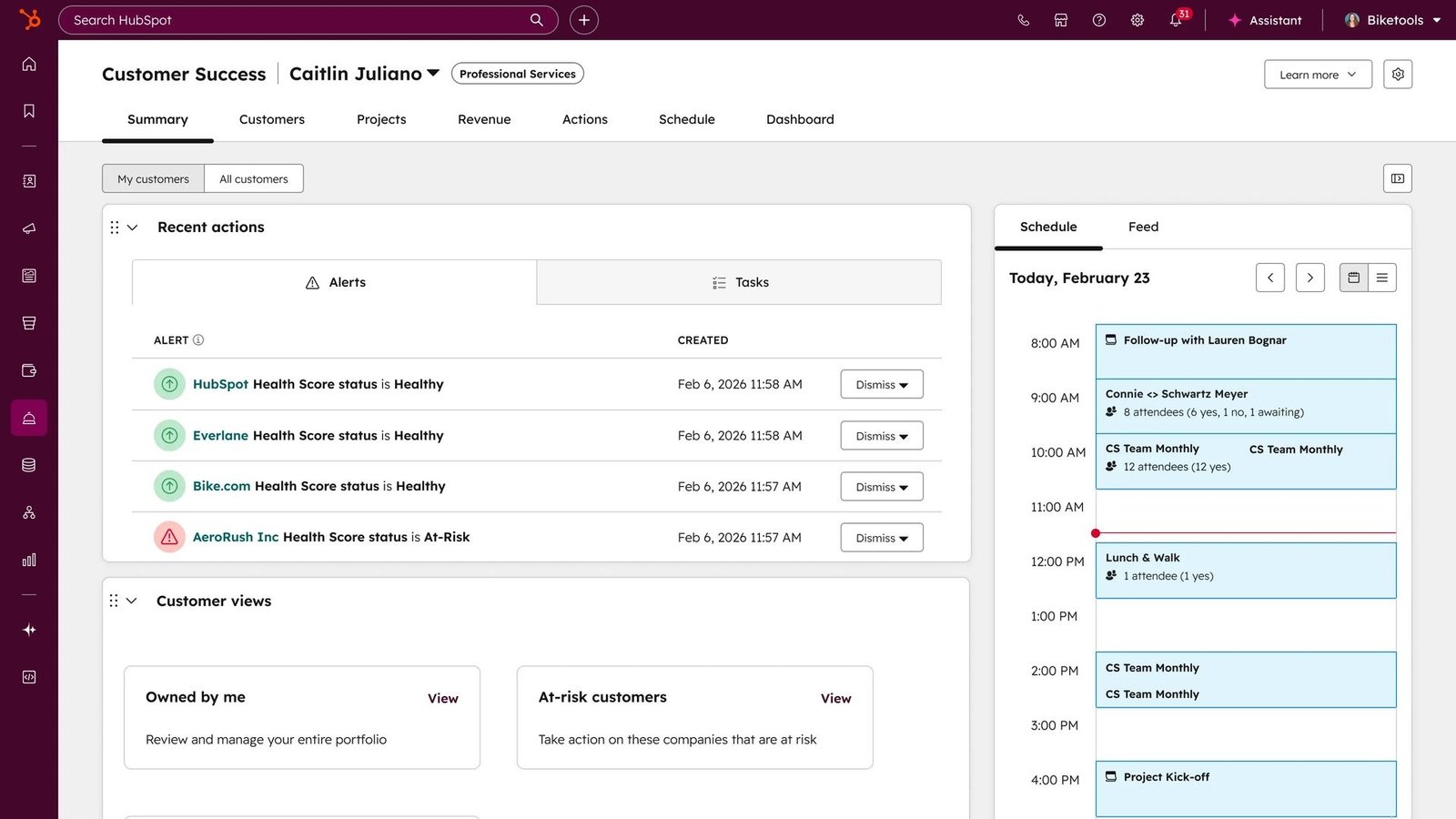
Service Hub adds feedback surveys (NPS, CSAT, CES) and Feedback Topics — AI that groups open-text answers into themes — to the CRM many small businesses already use. But feedback surveys and Feedback Topics are Professional/Enterprise only. Starter, at $20 per seat a month, doesn’t get them. Professional is $90/seat/mo annual ($100 monthly), Enterprise $150/seat, plus a $1,500 onboarding fee. If HubSpot is already your system, switch on Feedback Topics — our best AI chatbots for small business guide covers HubSpot’s chatbot side.
8. Typeform — best-looking surveys, wrong price for analysis
Verdict: skip it for feedback analysis. Buy it for beautiful forms if that’s the job.
Typeform makes the prettiest surveys here — conversational, one question at a time, high completion rates. Its Smart Insights feature summarizes responses, extracts topics, and scores sentiment. Smart Insights lives only on Growth Flow: $379/mo, or $266/mo annual. Cheaper plans (Basic $39, Plus $79, Business $129) include AI that builds forms, not AI that analyses answers. If analysis is the priority, SurveyMonkey does it for $39 and the DIY route for $20.
9. DIY batch workflow — cheapest real analysis
Verdict: worth it, and the right starting point for most small businesses.
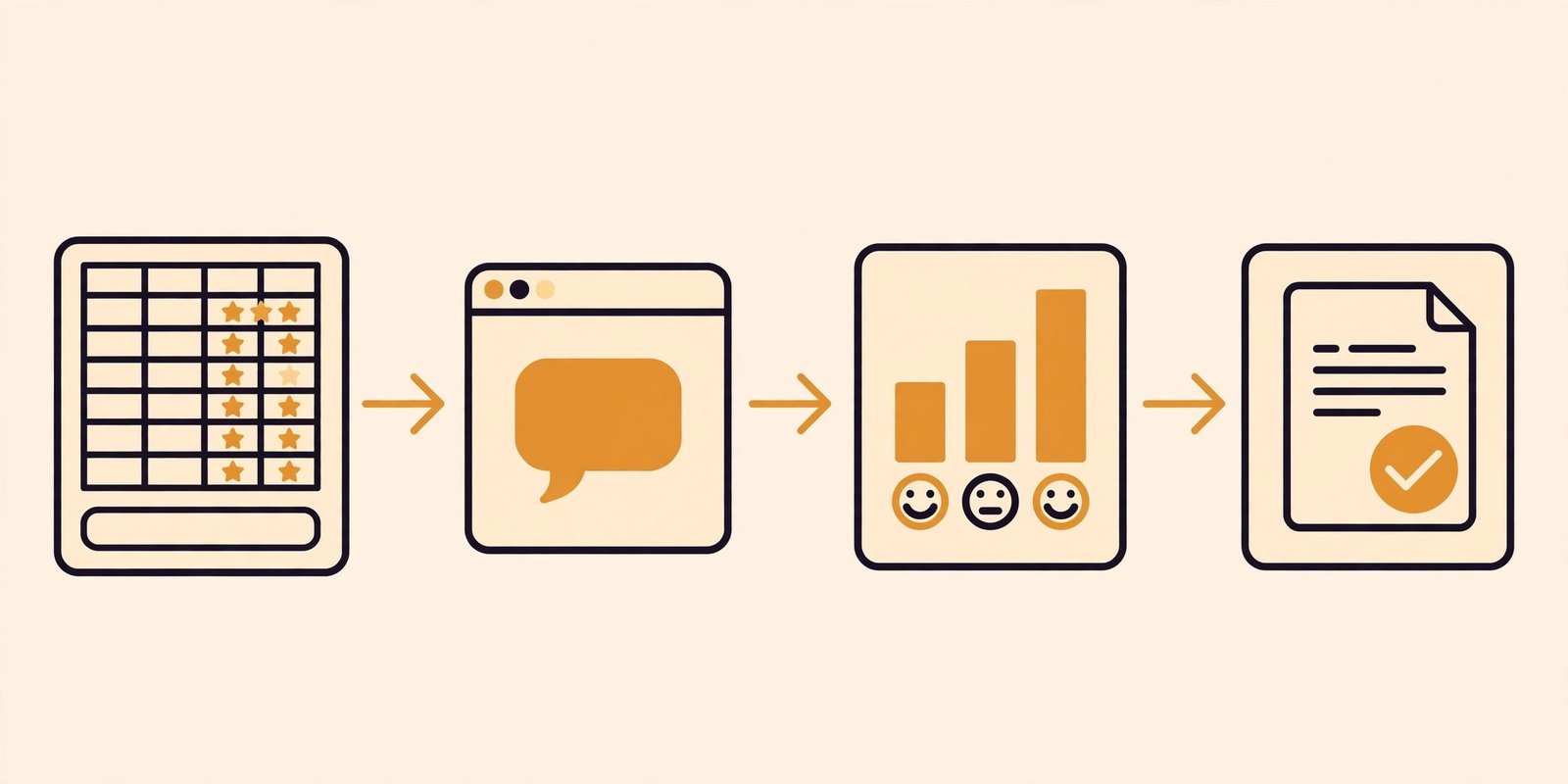
This isn’t a product — it’s a weekly routine. Export your feedback — reviews, survey answers, tickets — into a sheet. Once a week, paste a batch into ChatGPT or Claude with a fixed prompt: group comments into themes, score sentiment per theme, list the three fastest-growing problems. You get the same output the $50–$300 tools sell, at low volume, for the price of a chatbot subscription. The math: ChatGPT Plus $20/mo; Claude Pro $20/mo ($17 annual). Google Sheets is free. Make‘s free tier covers 1,000 operations/mo; Zapier’s covers 100 tasks. Limits: no live dashboards, no spike alerts, no auto-import unless you build it. Privacy rule: strip names, emails, and payment or health details before pasting comments into a consumer chatbot.
AI customer feedback analysis tools for small business: free tiers and true cost
| Tool | Free tier | Cheapest plan with AI analysis | What a small business really pays |
|---|---|---|---|
| Survicate | 25 responses/mo | $56/mo (Growth, annual) | $56/mo |
| Jotform AI | 100 submissions/mo | $39/mo (Bronze) | $39/mo, light analysis |
| Birdeye | None | ~$299/location/mo (third-party est.) | ~$400–$600/mo all in |
| Zendesk | None (trial) | $115/agent/mo (Suite Pro, annual) | $230/mo for 2 agents |
| SurveyMonkey | Basic (view limits) | $39/mo (Advantage, annual) | $39/mo |
| Zonka Feedback | None (14-day trial) | Custom quote | Unknown |
| HubSpot Service Hub | Free CRM (no analysis) | $90/seat/mo (Pro, annual) | $180/mo + $1,500 fee |
| Typeform | Free plan (collect only) | $266/mo (Growth Flow, annual) | $266/mo |
| DIY ChatGPT/Claude | Free tiers (capped) | $17–$20/mo | $20–$50/mo with automation |
Bottom up: the cheapest real analysis costs $20–$56 a month; the most expensive costs ten times that for the same themes.
Which tool fits which feedback source?
No single tool reads every source well — match it to where your customers talk:
| Feedback source | Best pick | Budget pick |
|---|---|---|
| Google reviews | Birdeye | Survicate, or DIY batch |
| Post-purchase / post-service surveys | Survicate | Jotform AI (free tier) |
| Support tickets | Zendesk (if already a customer) | DIY batch from ticket exports |
| Social comments | None at SMB price | DIY batch from exported comments |
| In-product / website feedback | Survicate | Jotform AI (embed) |
| Everything at once | Zonka Feedback (quote) | DIY batch |
Two honest gaps: no tool here does social listening well at SMB price (the enterprise answer is Brandwatch), and “everything at once” is where the quote-only tools live.
The $30–$50 a month DIY pipeline, step by step
Step 1: pick your AI ($20/month). ChatGPT Plus at $20 a month, or Claude Pro at $20 a month ($17 annual). If you already pay for one, use that.
Step 2: gather the feedback in one sheet (free). One Google Sheet, one tab per source: Google reviews, survey answers, support tickets (our best AI live chat software for small business guide covers the chat side of collection), social comments. Strip names and emails before pasting anything anywhere.
Step 3: run the weekly batch (30 minutes). Paste up to 200 comments at a time with the same prompt every week: “Group these comments into themes, with counts and sentiment splits. List the three fastest-growing problems and one fix for each. End with a one-paragraph summary.” Same prompt every week — that’s what makes trends visible.
Step 4: automate the plumbing (free to ~$20/month). Make’s free tier (1,000 operations a month) moves new responses into your sheet automatically; a paid tier adds ~$20 a month. Total: $20–$40 a month in practice, $50 at the outside.
Step 5: act on one theme a week. Assign one owner per theme and fix the top issue.
What we skipped, and why
Chattermill is a serious feedback-intelligence platform, but it’s custom-priced and the vendor recommends at least 5,000 feedback items a month — enterprise volume. Thematic finds themes brilliantly and scores them by NPS impact, but its entry tier is $25,000 a year. Qualtrics XM and Medallia are enterprise platforms sold by demo. Canny is the tool ChatGPT itself recommends most often (75% of 40 tracked answers, November 2026) — but it’s a feature-request board, not an analysis tool. NiceJob automates review requests, which is collection, not analysis. Past ~1,000 comments a month, Chattermill and Thematic become worth a demo.
Which one should you pick?
- One shop, under 100 comments a month: DIY route at $20 a month. Revisit in three months.
- You run post-service surveys: Survicate at $56 a month, or Jotform AI free under 100 submissions a month.
- You already send SurveyMonkey surveys: Advantage at $39 a month. Don’t buy Standard Monthly by mistake.
- Google reviews drive your bookings: Birdeye if you can afford ~$400 a month all in; otherwise Survicate plus the DIY batch.
- Your tickets are the feedback: Zendesk triage if you’re already a Zendesk customer; otherwise export tickets into the DIY batch.
- You’re already on HubSpot: switch on Feedback Topics on Professional.
- You want one system for everything: get quotes from Zonka and Survicate Pro, and compare them against the DIY cost.
Frequently asked questions
How much does AI customer feedback analysis cost?
Free tiers cover low volumes. Real AI analysis runs $20–$56 a month (DIY, SurveyMonkey Advantage, Survicate Growth). Review- and ticket-led tools cost far more.
How much feedback do I need for it to work?
Useful patterns emerge from about 50–100 comments; below that, read everything yourself. Above ~500–1,000 a month, a platform earns its keep.
Can it analyse feedback in other languages?
Most leading tools support major languages and auto-detect them. SurveyMonkey’s thematic analysis is English-only, so check coverage before you buy if your customers write in another language.
Will it replace reading my reviews?
No. It replaces the slog of reading everything — you still read the most important comments yourself. Always read the original comments behind any surprising theme before acting.
Is customer feedback data safe with these tools?
Reputable vendors encrypt data and publish retention policies — Survicate deletes data permanently within 30 days of deletion. The riskier move is pasting comments into a free consumer chatbot with unclear data terms: strip names, emails, and sensitive details first.
What is the best AI tool for analysing customer feedback?
There’s a best tool for your feedback source, not one best tool: Survicate for all-round, SurveyMonkey for surveys, Birdeye for reviews, the DIY batch for value. Pick by source first, price second, brand last.
The bottom line
Most small businesses don’t have a feedback problem — they have a reading problem. The cheapest fix is a $20-a-month chatbot subscription and 30 minutes a week. The best packaged fix is Survicate at $56 a month. Everything pricier should explain what it does that the $20 version doesn’t. Start cheap, read your own customers, fix one thing a week.
Enjoying ToolsBizAI guides?
Add us as a Preferred Source on Google — you'll see our latest tools and guides first in Search, Top Stories, and AI Overviews.
Get One Useful AI Tool Tip Every Week
One practical AI tool tip in your inbox every week. No spam, unsubscribe anytime.

We’re the team behind ToolsBizAI. We hands-on test AI tools for small businesses — signing up for free plans, taking real screenshots, and fact-checking every claim before publishing. Our guides cover marketing, customer support, and day-to-day operations.